
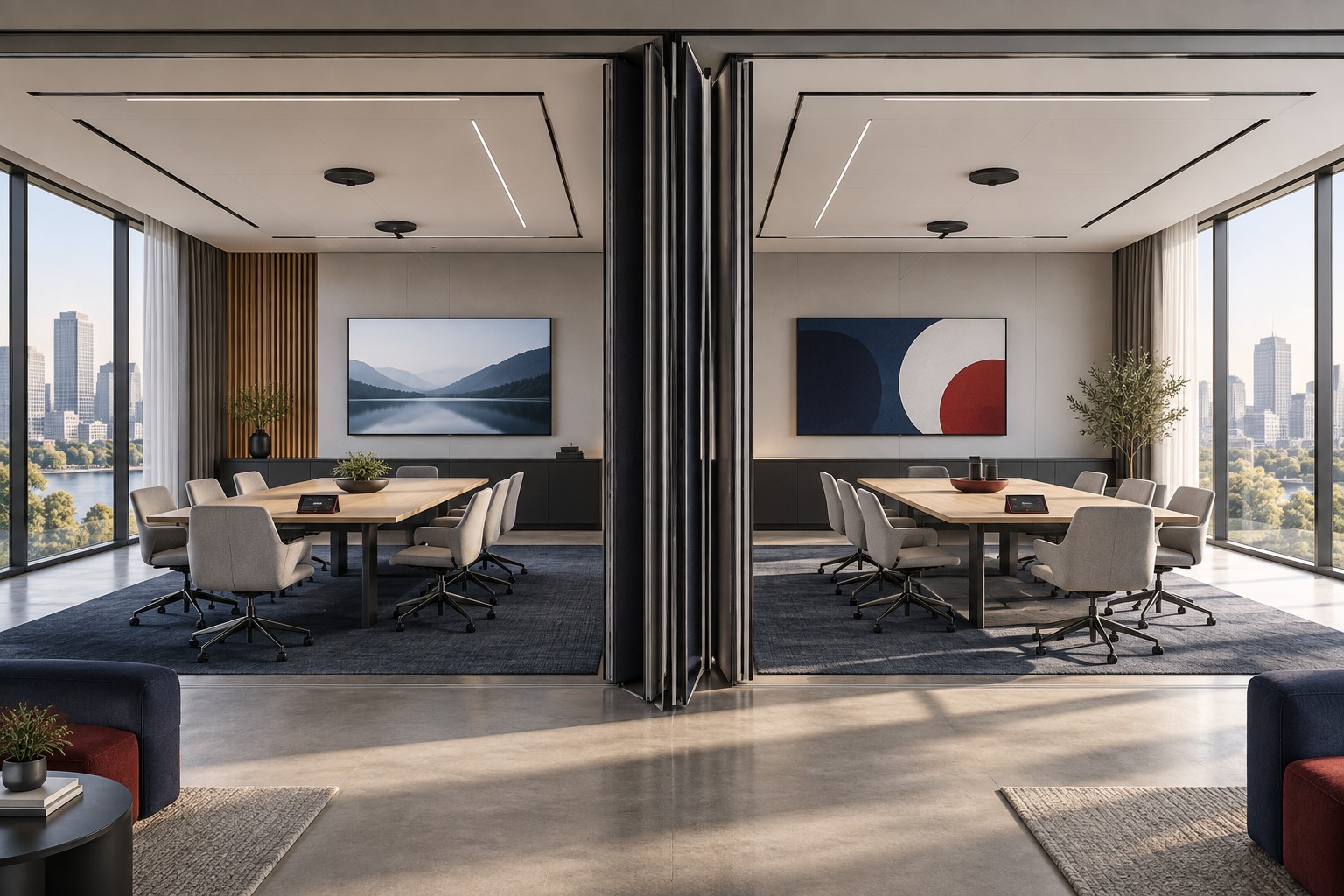
Room A finishes a training session at noon. Room B has a confidential meeting until 12:15. At 12:05, someone selects “Combine” on a touch panel to prepare for the afternoon event. Which microphones are now live, and where can their sound be heard?
Work through that scenario before choosing equipment. Facilities staff need to know what happens to microphones, cameras and shared content when they combine the rooms, especially when one meeting runs late.
Good divisible meeting room AV design starts with the schedule: who uses each space, when both rooms are available and how much time staff need between events.
Key Takeaways
- Define separate, combined and changeover behavior before choosing equipment.
- Assign microphones, speakers, cameras, displays and controls to each permitted configuration.
- Decide who can change room mode and how a conflicting partition signal is handled.
- Verify the experience from both rooms and from a remote participant’s location.
Write the Room States Down
Give each physical space a consistent name on the booking system, door sign, touch panel and support record. “East,” “Room A” and “Training 1” should not describe the same room in three different places without explanation.
Write down how each room works on its own and how the two work together. Use this example as a starting point, then adapt it to your suite. Reserve both spaces whenever an event uses the combined room.
| Configuration | Audio and Cameras | Content and Displays | Control and Booking |
|---|---|---|---|
| Room A independently | A’s approved microphones, speakers and camera views stay with A’s meeting | A’s selected content reaches A only | A controls A; its reservation does not grant use of B |
| Room B independently | B’s approved devices stay with B’s meeting | B’s content reaches B only | B controls B; its reservation does not grant use of A |
| A and B combined | Approved devices cover the combined seating area and designated meeting connection | Selected content reaches the agreed combined destinations | One designated operator or control panel manages both rooms; both spaces reserved for the event |
Add the actual device identifiers and exceptions in the project’s working version. For example, a lectern microphone may be available only in combined use. A camera that frames the front of Room A may point at the middle of the audience after the furniture moves.
Give Changeover Its Own Rules
Do not treat the minutes between bookings as spare time. Facilities may need to move the partition, rearrange tables, remove cables and prepare the next presenter. Staff also need time to end the previous call, clear shared content and set the controls for the next event.
A useful sequence is:
Release both rooms → End calls and clear shared content → Move partition and furniture → Confirm room mode → Check local and remote operation → Release for the next event
Assign a person to each step. “End calls” includes checking for a meeting connection that is still active even though the local display is dark. “Clear content” includes stopping wireless sharing and removing the previous presenter’s material from every display involved.
Measure the sequence during rehearsal with the people who will perform it. Use that result to set the booking buffer. A short gap that works for an AV technician may be unrealistic for the evening facilities team.
Decide Who Can Combine the Rooms
A partition sensor reports the wall position; an operator selects a room mode. Decide which takes priority if the sensor says the wall is closed but someone selects “Combine.”
Consider a wall that is partly open, a failed sensor and a user who presses the wrong button. Ask the designer to define the response for each. One possible approach is to require an authorized operator to confirm a change and display a clear warning when the detected wall position conflicts with the request. The appropriate behavior depends on the system and the use of the rooms.
Specify whether mode changes are permitted during an active meeting. If they are restricted, the control panel should explain why and tell staff how to proceed. If they are allowed, the design review must address what happens to existing calls, microphones and shared content.
Check Sound Isolation as Well as Routing
Electronic isolation prevents Room A’s microphone signal from being routed into Room B’s system. The partition, ceiling and surrounding construction determine how much sound travels physically between the spaces. Both need attention.
Rehearse simultaneous use at realistic speech and playback levels. Listen in the neighboring room and check what its remote participants hear. Include the intended furniture arrangement and normal building noise. Repeat the test with people in both rooms; an empty, quiet suite does not reproduce simultaneous meetings.
Ask the acoustics and AV teams to review the result together when necessary. Muting an electronic route will not correct sound leaking through an inadequately isolated partition. Record any limits on simultaneous use so event staff can make informed booking decisions.
Test the Combined Meeting From Outside the Room
Join a test call from another location. Have people speak from the approved seating positions, including the far end and the area near the partition line. Check whether remote attendees hear each person clearly and see the intended camera view.
Try the activities the space was designed to support: a presenter at the lectern, a panel, audience questions or a training discussion. Verify that a camera does not follow movement in an area that should be excluded. Check shared content independently from the camera picture.
Crestron’s divisible-room design example illustrates one product-specific approach in which resources support independent rooms or a combined space. Its equipment counts and topology apply to that example. Your room geometry, conferencing platform and operating requirements should determine the design.
Make Recovery Part of Acceptance
Write a short set of failure tests with the designer. Include a room controller restart, loss of an expected device and an incorrect mode selection. Perform disruptive tests only in an approved window.
For each test, record what users see, what remains available and who can restore the intended configuration. Avoid recovery instructions that ask ordinary users to enter technician settings. Provide an accessible support contact and a clearly named fallback, such as using one independent room while combined operation is unavailable.
Give the facilities team the room-configuration table, control instructions, timed changeover steps and test results. Review those instructions after a control update or a furniture change that affects room use. Have the next operator use them to prepare the suite and flag anything unclear.
Related Reading
Where VIcom Fits
Walk through your room combinations, event schedule and staffing arrangements with VIcom’s design team. Bring a floor plan and two consecutive event examples so the review can address the changeover as well as the finished room.
Connect with VIcom by filling out the form below.