
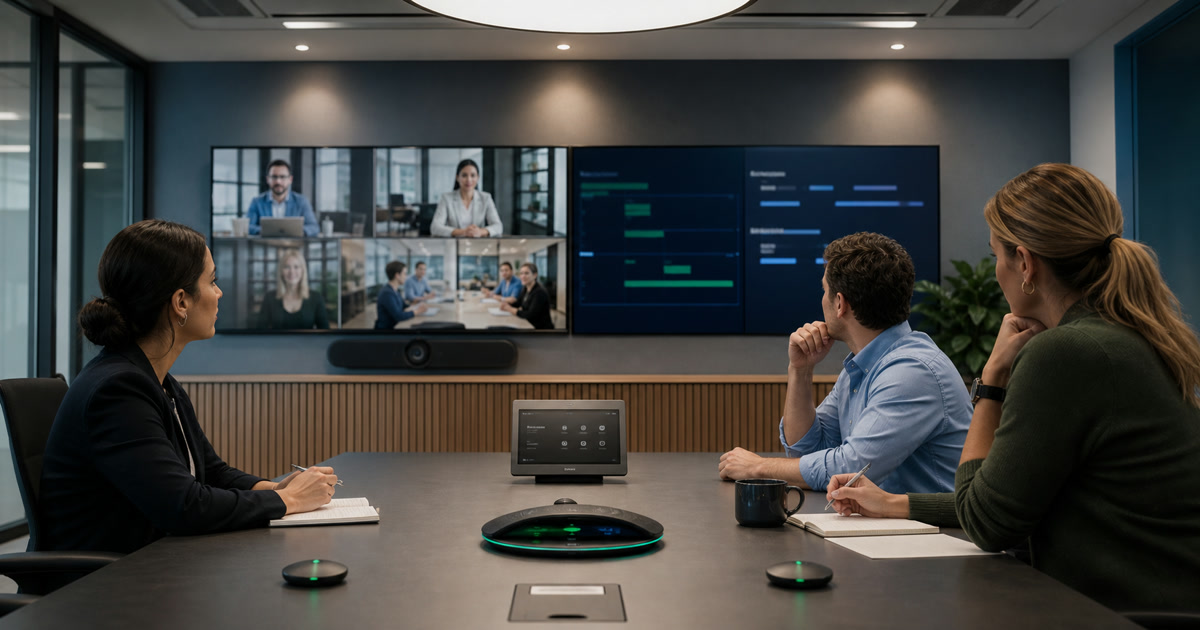
Room audio for an AI assistant is a solved question. The unsolved one is authority: who was allowed to start the agent, whose name gets attached to what was said, where the resulting document lives, and what the agent may do afterwards.
Those are settled by people rather than by microphones, and they are worth settling before a pilot rather than after.
Answer these before enabling anything:
| Decide | Because |
|---|---|
| Which meeting types are approved, and which are excluded | The agent is advertised to whoever walks in |
| Who may start it — and whether that is who should | In an impromptu room meeting, only the starter is attributed |
| Where the output lives, and who controls that location | Notes land in the initiator’s own OneDrive |
| Notes, drafting, or system action — approved separately | Reversibility drops at each step |
| How an error is corrected once distributed | Decide before it happens, not during |
Key Takeaways
- Microsoft documents Facilitator in Teams Rooms as “a preview or early release feature”, currently “available only as Public Preview on Teams Rooms on Windows” (Microsoft Learn, retrieved 2026-08-24).
- In an impromptu room meeting, “only the user who scans the QR code to start the meeting is attributed”, and everyone else appears as “Speaker 1, Speaker 2”.
- The agent transcribes but does not record: “The Facilitator agent only turns on transcription during the meeting. The meeting won’t be recorded.”
- Notes land as a
.loopfile in the Meetings folder of the OneDrive belonging to whoever started it, and are “treated as meeting transcript data.”- Approve notes, drafting, and system actions as three separate decisions. They carry different risks and different reversibility.
On this page
- What This Article Is Not About
- The Escalation From Notes to Action
- What the Room Actually Does Today
- The Ten Questions
- Attribution Is a Governance Problem, Not a Feature Gap
- Where the Document Lives Decides Who Controls It
- Approve Three Tiers, Not One
- Room Controls That Make State Legible
- What to Measure Before Expanding
- Take the Questions Into the Governance Review
What This Article Is Not About
This is not about whether the room’s audio, cameras or acoustics are good enough. Existing guidance covers that: what AI meeting rooms get wrong on inputs and adoption, the audio, camera and control requirements behind better meeting agents, and what actually improves meetings and what is just hype.
Assume that is handled. It is also not a privacy policy — existing guidance on smart meeting rooms without privacy blowback covers occupancy, sensors and the general posture. What follows is narrower: the authority an agent holds and the trail it leaves.
The Escalation From Notes to Action
Three capabilities arrive under one product name, and they are not one decision.
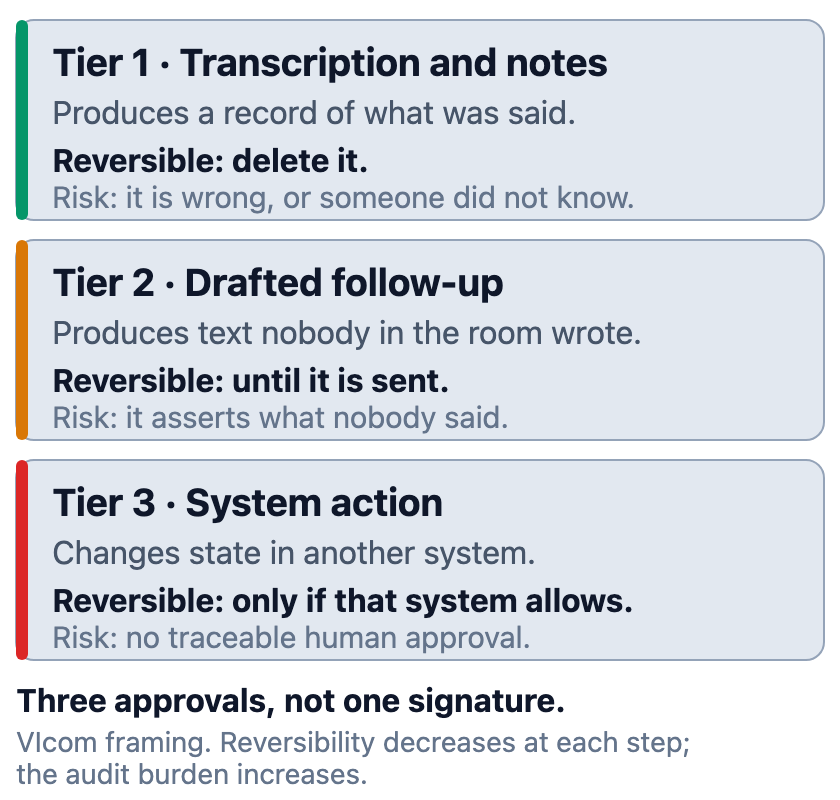
Transcription and notes produce a record. It can be wrong, and it can be deleted.
Drafted follow-up produces a document nobody in the room wrote. It can assert things no participant said, and it is reversible only until someone sends it.
System action changes state somewhere else — a ticket, a case, a CRM record. Reversibility depends on the receiving system, and the audit question becomes which human approved it.
Approving all three at once collapses three risk decisions into one signature.
What the Room Actually Does Today
Govern what the capability currently does rather than what the category does, and Microsoft’s documentation for Facilitator in Teams Rooms is unusually specific on that point. It is worth reading before writing policy against it:
| Question | What Microsoft documents |
|---|---|
| Maturity | “This is a preview or early release feature” |
| Platform | “Currently Facilitator is available only as Public Preview on Teams Rooms on Windows” |
| Who can start it | Someone in the room “signed into Teams on their mobile phone within the same organization” |
| External participants | “Facilitator based offline note taking isn’t available for federated or external users” |
| Attribution | “only the user who scans the QR code to start the meeting is attributed”; others are “Speaker 1, Speaker 2” |
| Recording | “The Facilitator agent only turns on transcription during the meeting. The meeting won’t be recorded” |
| Storage | A .loop file in the Meetings OneDrive folder of the initiating user |
| Data classification | “This data is treated as meeting transcript data” |
| Stopping it | Mute the room microphone, or “remove Facilitator from the console by tapping it on the roster” |
Source: Microsoft Learn, retrieved 2026-08-24. Preview status, platform support, licensing and behavior all change; confirm each before drafting policy.
One detail shapes the consent conversation. Microsoft describes a discovery experience where the room’s presence detector wakes, a banner appears, and it “will inform users that they can invite Facilitator to take notes for their meeting” — appearing “when there’s no scheduled meeting and the room is available for the next 10 minutes.”
The agent is advertised to whoever walks in, in exactly the situation where nobody has planned anything.
The Ten Questions
- Which meeting types are approved for an agent, and which are explicitly excluded
- Who is permitted to start one, and is that the same set of people who should be
- How are participants told, and what happens if someone objects mid-meeting
- Who is attributed, who is not, and does everyone in the room understand which
- What exactly is captured, and how is it classified
- Where does the output live, who owns that location, and who else can reach it
- How long is it retained, and who can delete it
- What happens in a meeting with external, federated or cross-tenant participants
- What may the agent do beyond producing text, and what approval gates that
- How is an error corrected once the output has been distributed or acted on
Question 6 is the one most easily assumed rather than answered, and the documented behavior above shows why.
Attribution Is a Governance Problem, Not a Feature Gap
A transcript where one person is named and everyone else is “Speaker 2” is not neutral.
The named person carries a disproportionate share of the record. Statements they did not make sit beside statements they did, under generic labels, in a document read later by people who were not present.
Decide these in advance:
- Whether an unattributed transcript is acceptable for the meeting types in scope
- Whether the person who starts the agent should be the most senior person present, the least, or someone designated
- How a misattribution is corrected, and by whom
- Whether the document should carry a standing note that attribution is partial
Microsoft says the limitation “will be addressed in a future update.” Policy written now should not assume it has landed.
Where the Document Lives Decides Who Controls It
The storage location is the governance decision that gets made by default, because notes from an impromptu room meeting land in the OneDrive of whoever scanned the code.
That person controls sharing, retention and deletion. What happens when they leave is governed by whatever process covers their mailbox and drive, which may not be the process covering meeting records.
Questions that follow:
- Is a personal OneDrive the right home for a record of a group discussion
- Does the organization’s retention policy reach it there
- What happens to it when the initiator changes role or leaves
- Is it discoverable if the organization needs to produce it
- Does it become a business record, and who decides that
The classification Microsoft states — treated as meeting transcript data — is a useful anchor, because the organization probably already has a position on meeting transcripts.
Approve Three Tiers, Not One
Run the pilot as three approvals, each with its own criteria for success.
Tier 1, notes only. Lowest stakes. Success looks like accurate notes and participants who understood what was happening.
Tier 2, drafted follow-up. The agent proposes text a human sends. Success requires a review step that people actually perform rather than skip.
Tier 3, constrained system action. The agent writes into another system within a defined boundary. Success requires that every action traces to a named human approval, and that the boundary holds.
Do not begin at Tier 3 because the platform offers it. Reversibility decreases at each step and the audit burden increases.
Organizations running a formal AI risk process can map these tiers onto it; the NIST AI Risk Management Framework is one available reference point.
Room Controls That Make State Legible
Policy is enforceable only if the room shows what is happening, which puts a short list of conditions on the room itself. Each is observable by someone standing in the doorway. That is the test to apply to all of them.
- Active capture is visible from every seat, not only from the console
- The state changes visibly when the agent joins and when it leaves
- Stopping is a single action a participant can take without permission
- Someone entering late can determine the state without asking
- Signage or an on-screen notice explains what the agent does, in the room
- Microphone coverage matches what participants assume is being heard
- The behavior is the same after a reboot or an update
The documented stop paths — mute the room microphone, or remove the agent from the roster — should be tested by someone who has not been trained on them.
What to Measure Before Expanding
Proposed measures for a pilot. No values are asserted.
- Note accuracy, judged against what participants recall
- Attribution errors, and whether anyone noticed
- Participant understanding, tested by asking rather than assuming
- Instances of capture in a meeting where it was not wanted
- Incorrect action items, and whether they propagated
- Support burden by room class
- Access exceptions granted
- Whether anyone declined, and what happened next
Existing guidance on standardizing meeting spaces without repeating a flaw applies: an agent enabled inconsistently room by room produces an estate nobody can describe.
Take the Questions Into the Governance Review
The ten questions, three approval tiers, room-control requirements and measurement list are on a one-page sheet for a governance or records-management review.
Download the AI meeting agent governance question set — PDF, one page, no registration.
Where VIcom Fits
VIcom can map the AV and UC data path for a room estate, confirm microphone coverage against what participants assume, stage pilot rooms, make capture state visible, configure only what has been approved, test external and cross-tenant scenarios, and document support ownership so an agent is not enabled inconsistently across an estate.
Preview status, licensing, platform availability, storage behavior and attribution all change, and this article describes one vendor’s documented behavior at one point in time. Confirm current behavior with the vendor before writing policy, and route records, privacy, HR and legal questions through the functions that own them.
Connect with VIcom by filling out the form below.