
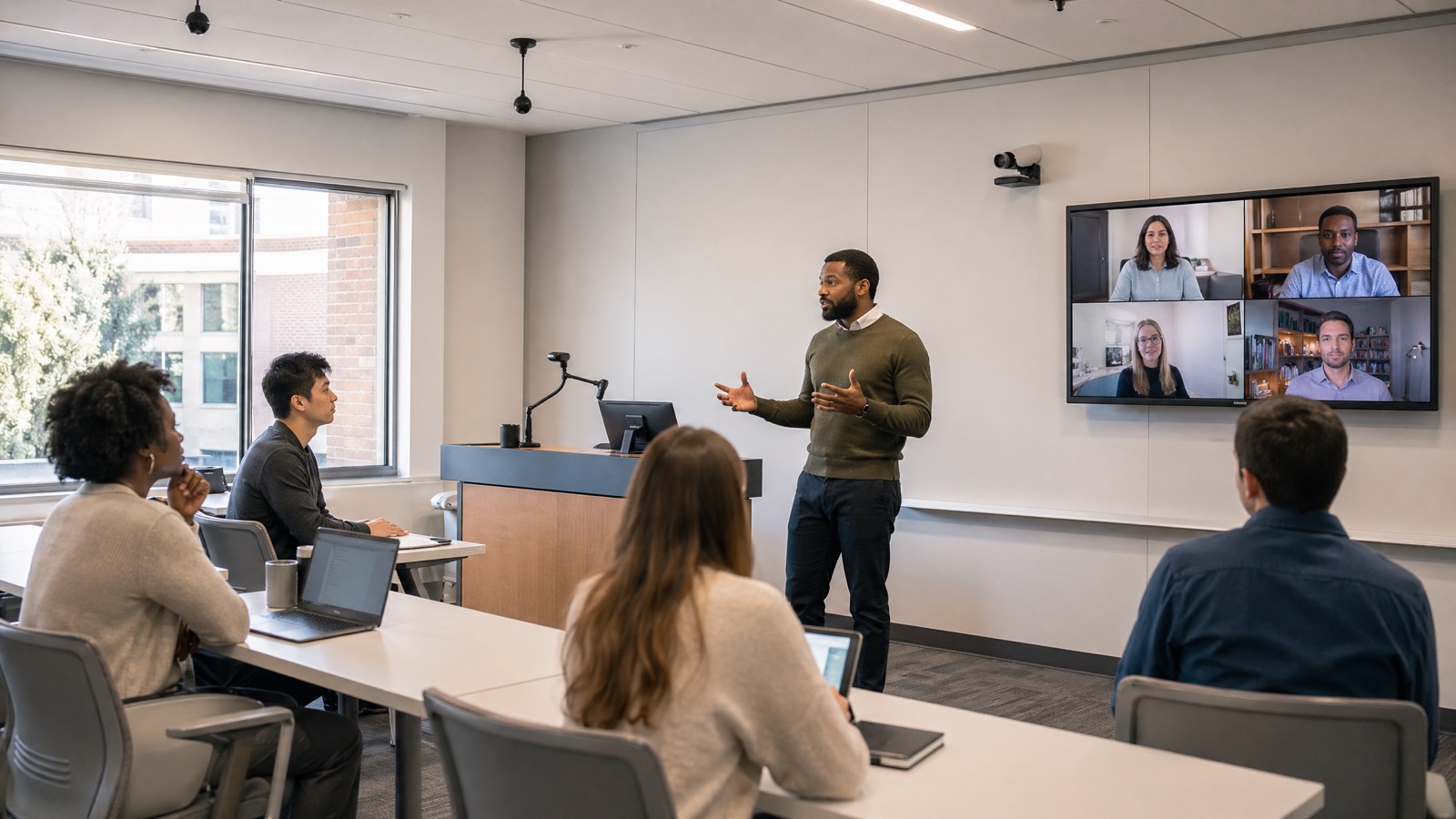
Lecture Capture Is No Longer an Emergency Tool
Many colleges adopted lecture capture and hybrid instruction under pressure. In 2026, those systems are no longer temporary workarounds. They are part of the academic experience, student support model, accessibility strategy, and institutional record of learning. That shift changes the standard for how they should be designed and governed.
Secure lecture capture is not just a cybersecurity topic. It includes privacy, consent, identity, access, retention, recording quality, captions, faculty control, student expectations, and support. A recording that is hard to hear, posted to the wrong audience, retained longer than policy allows, or difficult for faculty to manage can damage trust even if the network is technically secure.
Start With the Data the Room Creates
A hybrid classroom can create more information than teams realize. Video, instructor audio, student comments, shared slides, chat, transcripts, captions, attendance indicators, engagement data, room telemetry, and platform logs may all be involved. Before expanding capture, institutions should know what is created, where it is stored, who can view it, and how long it remains available.
That inventory should involve IT security, privacy, legal, teaching and learning, disability services, AV, and academic leadership. Faculty and students are more likely to trust capture tools when policy and room behavior are clear.
Room Quality Is a Security and Trust Issue
Secure does not mean unusable. If the microphone misses student questions or the camera cannot capture board work, faculty will create workarounds. They may use unapproved devices, consumer tools, personal accounts, or manual recordings because the official room does not support the teaching need. Good AV design reduces those workarounds.
A practical checklist should include microphone coverage, camera angles, content capture, preview confidence, start-stop controls, recording indicators, source routing, caption workflow, and network reliability. Faculty should be able to tell when recording is active and stop it when policy or pedagogy requires. Students should understand when they may be captured and how the institution handles that information.
Access, Retention, and Consent Need Clear Owners
The hardest questions are often operational. Who is allowed to record? Are recordings automatic or instructor initiated? Can students download them? Are guest speakers handled differently? How are captions corrected? What happens when a student asks not to be recorded? When does content expire? Who audits access?
These questions should be answered before room standards are approved. AV teams can make the workflow visible through indicators, presets, and control design. IT can align identity and access. Teaching and learning teams can train faculty. Privacy and legal teams can define policy. Without that shared ownership, every classroom becomes its own risk decision.
Review the System at the End of Every Term
A secure lecture capture program should improve over time. End-of-semester reviews can identify rooms with frequent failures, courses with recurring caption issues, faculty who need additional training, and policies that are unclear in practice. Usage data should be treated as an operational signal, not just a dashboard.
VIcom helps colleges connect classroom AV, hybrid instruction, campus IT, privacy expectations, accessibility, and support. The strongest systems make capture easy enough for faculty to use correctly and disciplined enough for the institution to trust.
Secure Lecture Capture Checklist
- [ ] Recording ownership is defined: who can start, stop, publish, edit, and delete recordings.
- [ ] Access is tied to institutional identity, course enrollment, approved guests, or another documented rule.
- [ ] Retention rules are written down before the semester starts, including exceptions for accommodations, disputes, or guest speakers.
- [ ] Faculty have a visible recording indicator and an easy pause or stop workflow.
- [ ] Captions are available where required, and the correction process is known.
- [ ] Student questions are captured clearly without forcing students into awkward microphone behavior.
- [ ] Recordings are tested from a student laptop and mobile device, not only from the room console.
- [ ] Support has the room diagram, device list, platform owner, and escalation path.
That checklist turns “secure lecture capture” from a policy phrase into something the room can actually support. It also helps privacy officers and teaching teams talk about the same workflow. If a faculty member hosts a guest lecturer, records sensitive classroom discussion, or teaches a hybrid class with remote students, the approved path should already be clear.
Where Colleges Usually Discover Gaps
The most common failure pattern is a room that works for lecture but not for discussion. The instructor microphone is clear, but student questions disappear in the recording. The captions then miss the exchange, remote students lose context, and faculty stop trusting the capture system. Fixing that may mean adding audience microphones, changing seating expectations, using push-to-talk positions, or defining which rooms are suitable for discussion-heavy hybrid courses.
Another frequent gap is retention. A platform may make it easy to keep recordings indefinitely, but the institution may want term-based cleanup, limited access, or special handling for classes with clinical, legal, or personally sensitive discussion. AV cannot set that policy alone, but room controls and platform configuration should make the policy practical.
A Monday-Morning Audit
Pick five rooms that represent the campus: one large lecture hall, one seminar room, one lab or specialty room, one high-complaint classroom, and one room used heavily for hybrid courses. Record three minutes in each room with an instructor speaking, a student asking a question, and content shared on the display. Then review the recording as a student would.
Score each room on four simple questions: can the instructor be understood, can student questions be understood, can shared content be read, and does the recording land in the right place with the right access? If any answer is no, the secure-capture program has a practical gap to fix before policy language will matter.
This audit is also a training opportunity. Faculty should know which rooms are capture-ready for discussion, which are lecture-only, and which need support before a high-stakes class. Help desk staff should know which devices are in each room and who owns the platform issue when a recording fails. That shared clarity is what makes security feel usable instead of bureaucratic.
If lecture capture has become a campus service instead of an emergency workaround, it deserves a secure room and workflow review. VIcom can help higher education teams audit capture quality, privacy handoffs, and support readiness; connect with VIcom by filling out the form below.