
Accessibility Deadlines Should Trigger a Meeting Workflow Review
The Department of Justice has extended the Title II web and mobile accessibility compliance dates: April 26, 2027 for state and local government entities with a total population of 50,000 or more, and April 26, 2028 for entities with less than 50,000 people or any special district government. This article is not legal advice, but the operational message is clear: digital public access is under more scrutiny.
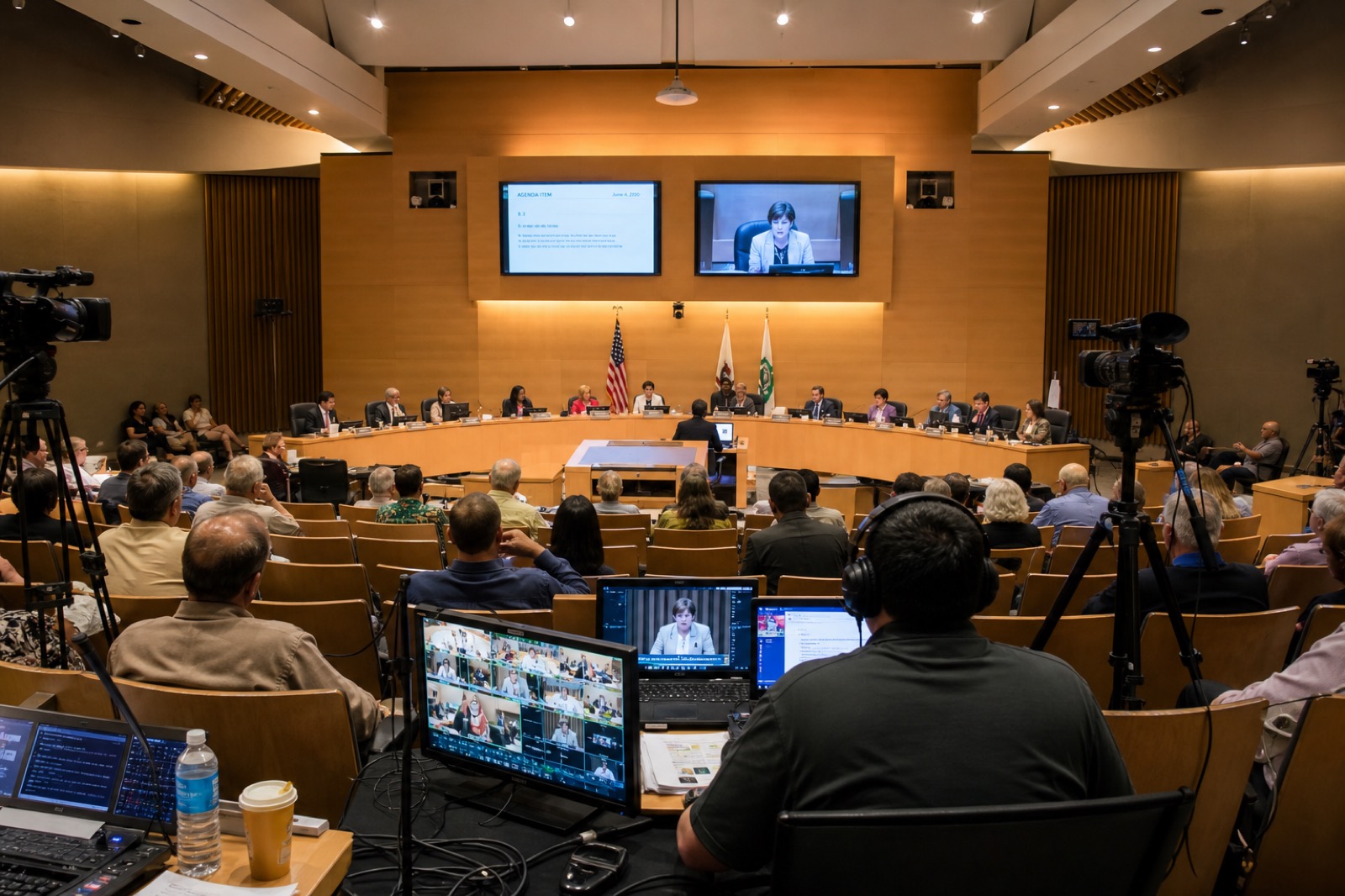
For public meeting teams, that should not be treated as a website-only issue. Meeting video, livestream pages, captions, recordings, agendas, archives, audio feeds, and remote participation instructions all depend on AV and workflow decisions. If the room produces poor audio, captions and transcripts will suffer. If the archive is hard to use, citizens lose access after the meeting ends.
Audio Intelligibility Comes First
Accessible meetings start with speech people can understand. Dais microphones, public comment microphones, staff tables, remote participants, and overflow rooms need clean capture. The stream, recording system, captioning workflow, assistive listening system, and in-room reinforcement should receive planned audio feeds, not patched outputs.
A review should ask whether citizens can understand who is speaking, what was said, and what decision was made. Test the room from the public seat, the livestream, the recording, and a mobile device. Accessibility is both a compliance task and a citizen experience.
Captions and Archives Need Workflow Ownership
Captions do not happen in isolation. The workflow may involve microphones, encoders, streaming platforms, caption services, agenda software, clerks, web teams, and records processes. Someone needs to own start and stop behavior, correction processes, posting, archive access, and retention handoff.
Public bodies should also review how recordings are found after the meeting. Can a resident find the agenda item they care about? Is the audio clear enough for search? Are captions available where expected? Are documents and video posted together? These questions make accessibility practical.
Do Not Forget the Room
Digital accessibility can fail because of physical-room design. Poor sightlines, unreadable displays, missing assistive listening, confusing public comment microphones, and unclear remote participation instructions all affect access. AV teams should work with clerks, ADA coordinators, IT, communications, legal counsel, and leadership to map the whole meeting journey.
The priority is to identify the gaps that most affect public understanding and participation. Some fixes may be workflow and training. Others may require microphones, display changes, captioning integration, or streaming updates.
Use the Deadline as a Planning Moment
A practical readiness review can inventory meeting rooms, livestream platforms, caption workflows, archive pages, assistive listening, remote comment processes, staff roles, and support plans. It can also separate immediate fixes from phased improvements.
VIcom helps public bodies connect AV design, meeting workflows, accessibility, IT, and lifecycle support. Public access should be clear in the room, live online, and in the archive citizens rely on later.
What Public Meeting Teams Should Test Now
Start with the citizen path. Watch a recent meeting on a phone, with captions on, and try to find one agenda item. Then listen for the chair, members, staff, public comment, and any remote speaker. If one voice disappears, the accessibility issue may start with microphone placement rather than the website.
Next, test the room path. Confirm assistive listening, readable displays, camera views, caption feed routing, public comment microphones, and overflow audio where applicable. In many council chambers, the weak point may be the staff table, lectern, or remote participant path that was added later.
A Virginia Local Government Planning Note
Virginia public bodies already operate in a public-access culture shaped by FOIA expectations, streamed meetings, agenda portals, and citizen comment. The ADA web rule adds pressure to make digital access more consistent. AV teams do not need to become legal counsel, but they do need to make sure the chamber produces usable audio, video, captions, and archives for the approved public process.
For smaller towns, counties, boards, and authorities, a phased plan may be more realistic than a full rebuild. Fix the audio feed first, then caption reliability, then archive usability, then control and support. That order usually improves the most citizen-facing pain fastest.
Why the Date Change Still Creates Urgency
The one-year extension gives public entities more time, but it should not create a pause. Chambers, boardrooms, archive workflows, captioning processes, and public websites often involve different owners. Waiting until the deadline year to coordinate them will make the work harder and more expensive.
Start by separating web compliance from meeting-production quality, then connect them again. The website or archive platform may need WCAG 2.1 AA attention. The meeting room must still produce audio, captions, video, and agenda context that make the archive usable. A compliant page cannot rescue a recording where public comment is unintelligible.
Local governments also need to consider staff capacity. Clerks, public information officers, IT staff, and ADA coordinators are already carrying live meeting pressure. The better the room presets, microphone routing, and archive workflow are, the less the process depends on one person remembering every step during a long meeting.
A useful first deliverable is a gap list sorted by public impact: cannot hear, cannot caption, cannot find, cannot participate, cannot maintain. That language helps elected leaders understand why AV changes belong in the accessibility plan.
The gap list also helps with phased budgeting. A microphone or captioning workflow fix may be fundable this quarter, while archive redesign belongs in the next budget year. Sequencing keeps progress moving.
Before the next budget cycle, review one meeting from the citizen’s point of view and one from the clerk’s seat. VIcom can help identify the AV and workflow fixes that support accessible public meetings; connect with VIcom by filling out the form below.