
The ticket is only the symptom
For years, many organizations treated conference rooms as places that occasionally needed rescue. A user opened a support ticket, the help desk tried a few basic steps, and then the issue moved to AV, facilities, a manufacturer, or an outside integrator. That model worked when video meetings were occasional. It is not strong enough when hybrid meetings carry executive decisions, customer conversations, training, recruiting, project delivery, and daily team operations.
The problem with ticket-only support is timing. By the time a ticket exists, the meeting has already been interrupted. The presenter has already lost the room. A remote participant has already missed the first ten minutes. If the issue involves a disconnected camera, a display that will not wake, a microphone firmware problem, a resource account failure, or a calendar sync issue, the person in the room may not know how to describe it accurately. The help desk then spends time translating frustration into a technical problem.
Proactive room operations starts from a different premise. The room is not just furniture and devices. It is a managed collaboration endpoint with health signals, standards, owners, support workflows, and lifecycle decisions. That shift does not eliminate support tickets, but it makes tickets less likely to be the first sign of trouble.
What proactive room health should measure
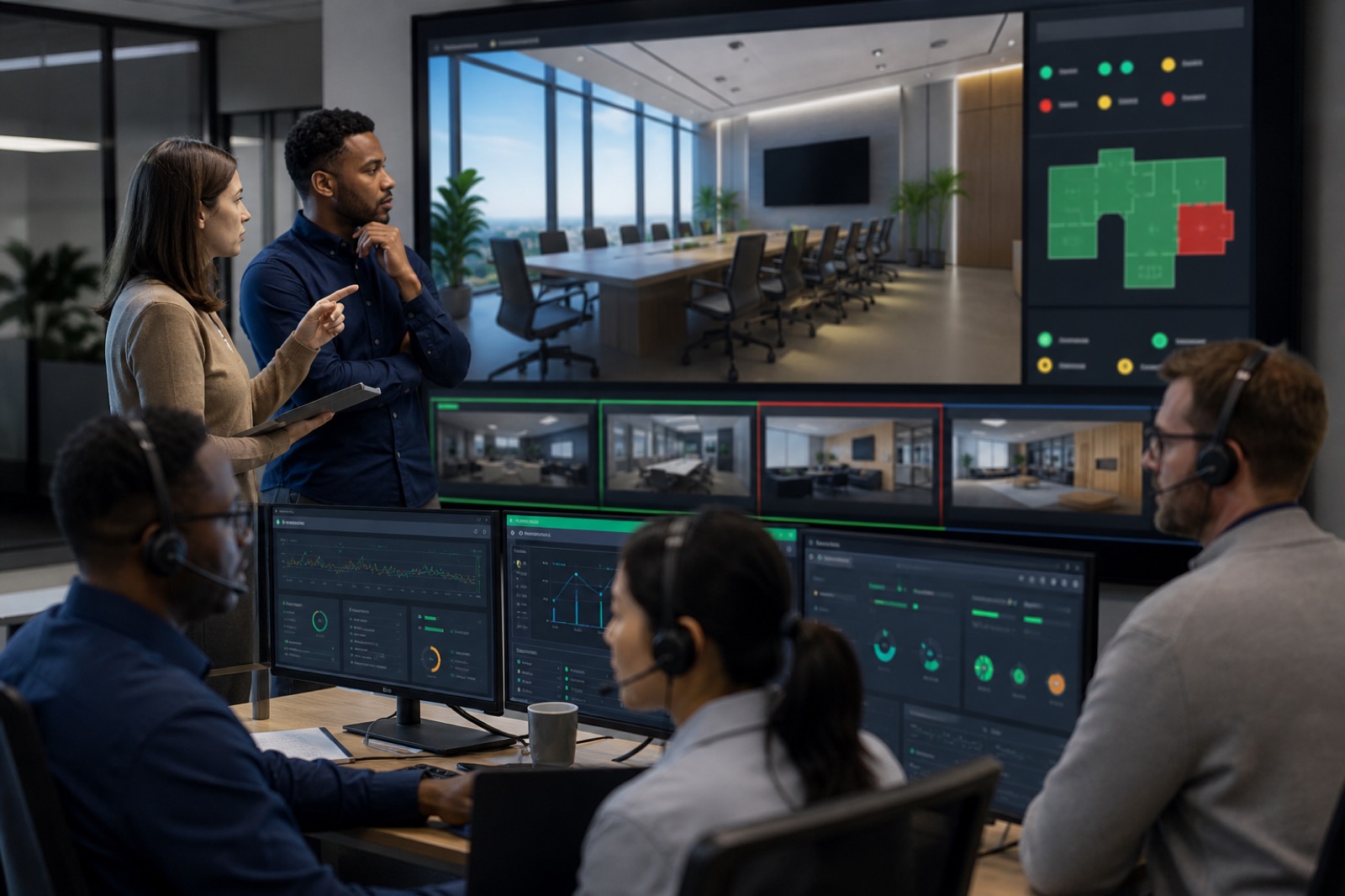
Useful monitoring starts with the indicators that predict user impact. Display status matters because a room can be unavailable even when the compute device is online. Camera status matters because a remote team cannot participate if the far end cannot see the room. Microphone and speaker status matter because audio quality usually determines whether a meeting feels professional or broken. HDMI ingest, USB peripheral connections, app version, operating system version, network reachability, calendar state, and resource account health all deserve attention.
The point is not to stare at dashboards all day. The point is to create a shared view of exceptions. A daily health check can identify rooms that are offline, devices that have drifted from standard, or software versions that need attention. A weekly exception review can separate one-off incidents from patterns. A monthly trend review can show which room types, device combinations, or locations produce the most friction. A quarterly standard review can turn that data into better design, procurement, and refresh decisions.
This is where tools alone are not enough. Microsoft, Zoom, Cisco, AV management platforms, and device manufacturers can provide health data, incident views, and remote management capabilities. But someone still has to decide which signals matter, who responds, how exceptions are prioritized, and when a recurring support issue should become a lifecycle decision.
Room analytics should inform refresh planning
The best operations programs use incident and analytics data for more than break-fix support. If a certain camera model produces repeated disconnects, that belongs in the next standard review. If a location shows persistent network reachability issues, the answer may involve infrastructure rather than room hardware. If a display stops waking reliably across several rooms, the team needs to know whether firmware, control logic, cabling, or age is the likely cause.
This data also helps defend investment. Leaders are more likely to fund room improvements when the case is tied to uptime, employee experience, remote participation, utilization, and support burden. Instead of saying, “The rooms feel old,” IT and workplace leaders can say, “These room types account for a disproportionate share of incidents, and the support data shows exactly where refresh will reduce disruption.”
Proactive operations can also reduce unnecessary truck rolls. When teams can diagnose remotely, push updates, validate device status, and identify the right part before dispatch, support becomes faster and more sustainable. That does not mean every issue can be solved remotely. It means onsite response becomes more targeted and less reactive.
Define ownership before the room breaks
A mature room program needs clear ownership across people, process, platform, and lifecycle. IT often owns identity, network, endpoints, resource accounts, and UC administration. AV teams or integrators understand room design, signal flow, microphones, displays, control systems, and environmental factors. Facilities may own physical space, power, furniture, acoustics, and construction coordination. The help desk is the front door for users, but it needs scripts, telemetry, escalation paths, and context. Manufacturers may own product-level support. A managed service provider can coordinate monitoring, triage, reporting, maintenance, and lifecycle recommendations.
Problems occur when those responsibilities are assumed instead of documented. A Teams Rooms console may be “online,” but the display may still fail to wake. A room may have excellent devices, but poor acoustic treatment. A service desk may be trained on laptops, but not on AV signal paths. The operating model should spell out who checks what, who can make changes, who escalates, which service levels apply, and what information moves with the ticket.
VIcom’s value is strongest when customers want one lifecycle story instead of isolated project phases. Design, deployment, standards, monitoring, support, and refresh planning should reinforce each other. The room standard should make monitoring easier. Monitoring should inform support. Support data should inform refresh. Refresh should feed the next design standard.
A practical cadence for better rooms
A realistic cadence does not have to be complicated. Start with daily automated and manual health checks for critical rooms. Look for offline devices, peripheral disconnects, resource account problems, calendar failures, software drift, network issues, and rooms that have generated recent incidents. Use a weekly exception review to identify rooms that need deeper attention, owner assignment, or user communication. Use monthly trend reviews to look at incident volume, repeat issues, room utilization, device age, firmware state, and support response patterns. Use quarterly standard reviews to decide whether design standards, spare strategy, lifecycle budgets, or support contracts need to change.
The cadence should be visible enough that business stakeholders understand improvement without drowning in technical detail. Executives do not need every peripheral event. They do need to know which collaboration spaces are reliable, where risk is increasing, and what the team is doing before users are affected.
If your organization already has a help desk, proactive AV operations does not replace it. It makes the help desk more effective. Agents get better telemetry, clearer escalation, and fewer mystery failures. Users get rooms that are ready when the meeting starts. Leaders get a support model that treats meeting uptime as a business requirement, not a convenience.
How VIcom helps move from reactive to proactive
VIcom helps organizations connect room design, deployment, monitoring, managed services, and refresh planning into one operating model. That can include room standardization, health indicator selection, support workflow design, remote management planning, escalation mapping, spare strategy, lifecycle reporting, and targeted refresh recommendations.
The goal is not to promise zero downtime. The goal is to reduce avoidable failures, shorten resolution time, and make room investments easier to defend. When meeting rooms are central to how work gets done, support cannot start only when a meeting fails. It has to begin with operational visibility, clear ownership, and a partner who understands AV and UC across the full lifecycle.