
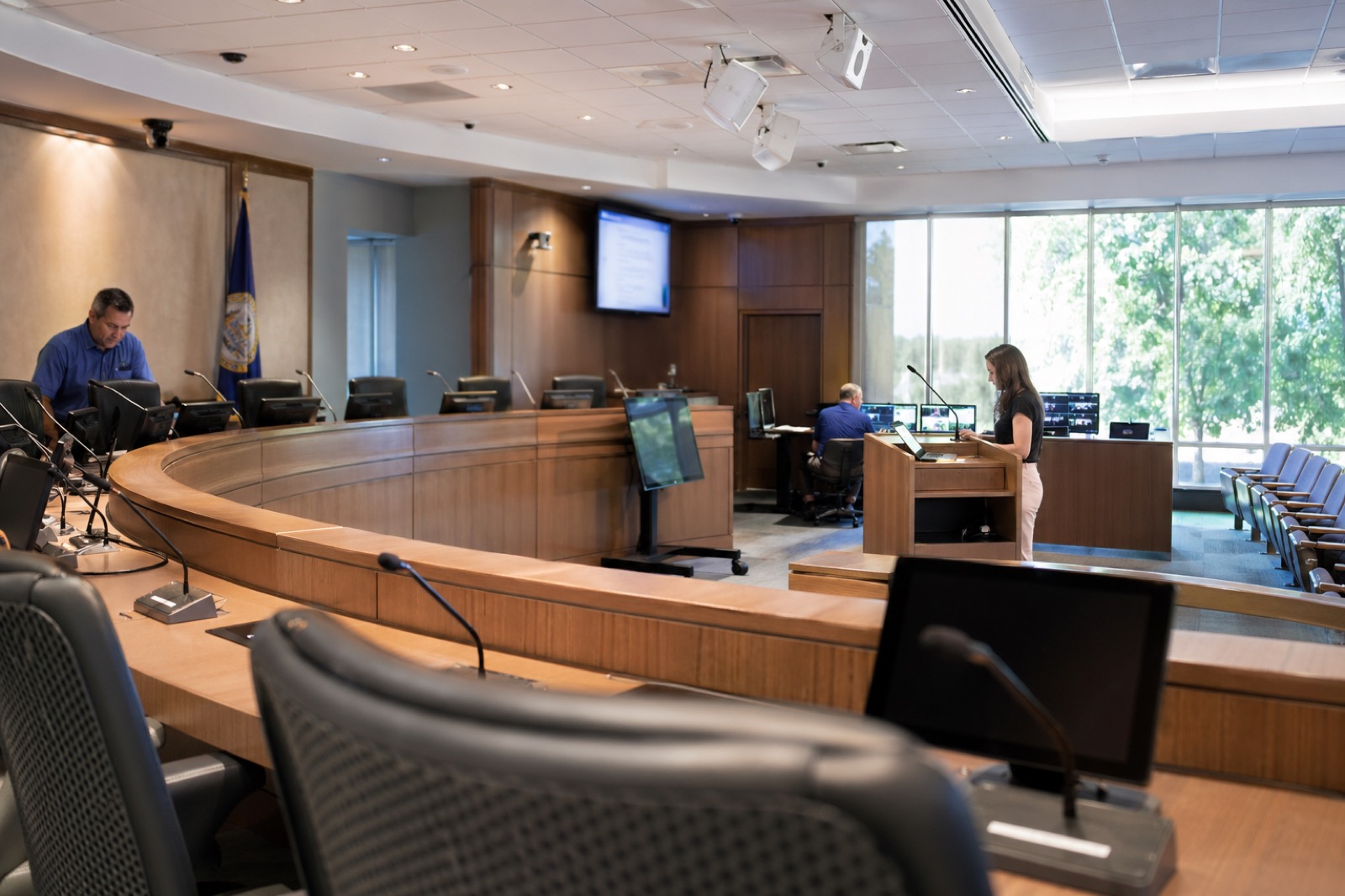
Public meetings do not feel optional to the people who depend on them. Residents want to hear every vote, follow every presentation, and offer public comment without wondering whether the room technology will fail them. Clerks and administrators want the meeting to start on time, the record to be clear, and the controls to be simple enough to manage under pressure. IT and facilities teams want a room they can support without treating every council session like a custom production.
That is why council chamber AV deserves a different level of planning in 2026. A chamber is no longer just a room with microphones and speakers. It is a civic access environment that has to support in-room discussion, remote participation, livestreaming, recording, accessibility, and a public archive. When any one of those pieces breaks down, the problem is not only technical. It becomes operational, political, and public-facing very quickly.
The good news is that most chamber projects do not fail because the goals are too ambitious. They fail because the design starts with equipment lists instead of meeting workflow. A better approach is to build around what actually happens before, during, and after a public meeting.
Start with the moments that matter most
Every chamber has a few critical moments that expose weak design. The mayor or chair opens the meeting. A council member speaks without leaning into the microphone. A resident walks to the podium for public comment. Staff launches a presentation from a laptop that does not quite match the display setup. A remote participant joins late. A controversial agenda item causes multiple people to talk at once. If the system can support those moments cleanly, the room is usually on the right track.
That is why the first planning discussion should be operational. Who speaks, from where, and how often? How many remote participants are typical? Does the chamber host only council meetings, or also planning boards, zoning hearings, school committee sessions, and community events? Does the clerk run the room alone, or is additional support available? The answers shape the room far more than any single hardware preference.
Treat speech intelligibility as the foundation
If speech is unclear, the rest of the investment loses value fast. Council chamber AV should capture voices from the dais, staff tables, the public-comment podium, and any flexible seating used by presenters or invited speakers. The goal is not simply amplification in the room. The system also needs to create a clean mix for remote participants, recordings, captions, and livestream viewers.
In practice, that means designing a microphone strategy instead of scattering microphones around the room and hoping coverage works out. Fixed gooseneck microphones often make sense at the dais. Podium microphones need to accommodate varying speaker heights and speaking styles. Flexible meeting formats may require wireless microphones or carefully placed supplemental coverage. Room acoustics matter too. Hard surfaces, HVAC noise, audience movement, and uneven seating layouts can all reduce clarity if they are ignored.
A useful checkpoint is this: would someone watching from a phone, a laptop, or an archived recording still understand the meeting without straining? If the answer is uncertain, the audio plan probably needs more attention.
Design camera coverage around how meetings actually flow
Many public bodies want better streaming and recording but do not need a television studio. They need coverage that helps online viewers follow the meeting naturally. That usually means a balanced combination of room-wide context and closer views of the active speaker, the dais, the podium, and presentation content.
For some chambers, a handful of well-positioned fixed views is enough. For others, PTZ cameras with presets tied to common meeting positions create a better experience without adding excessive operator burden. The real question is not how many cameras to install. It is how much manual production staff can realistically handle while still running the meeting.
Clerks should not be forced to choose between managing public comment and chasing camera shots. Simple presets, reliable recall, and clearly defined presentation modes are often more valuable than a long list of visual options that nobody uses consistently.
Plan streaming, recording, and archives as one connected workflow
A lot of rooms stream successfully and still create headaches later because nobody defined the archive path. Local governments need more than a live event. They need reliable recordings, consistent file naming, clear storage ownership, and a practical way to publish archives for residents.
That workflow starts before procurement. Who starts the stream? Who confirms audio is present? Where does the recording land first? Is there a backup recording path? How are captions added or reviewed? Who publishes the final file and related meeting materials? What is the fallback if the internet connection drops during a high-interest session?
Thinking through those questions early helps agencies avoid a common problem: buying capable room equipment without a dependable process behind it. A modest, well-documented workflow usually serves the public better than a feature-rich setup that depends on tribal knowledge.
Build accessibility in from the beginning
Accessibility should not be a late-stage add-on. Public bodies need to work with their legal and compliance teams on applicable requirements, but the AV design still plays a direct role in how accessible a meeting feels. Clear audio, readable displays, assistive listening support, accurate captions, understandable remote participation, and usable archives all contribute to public access.
This matters because the audience is wider than the people sitting in the chamber. Residents may watch from home, join from mobile devices, or rely on archived recordings later. A chamber modernization effort should make it easier for those audiences to follow the proceedings, not harder.
Even small design choices affect accessibility. A camera that never shows presentation content clearly can leave remote viewers behind. Tiny confidence monitors or poorly placed displays can make officials struggle to engage with remote speakers. A public-comment workflow that is easy for staff but confusing for residents can undermine trust. Good chamber design pays attention to those details.
Make hybrid participation orderly, not awkward
Hybrid public meetings introduce a new layer of complexity because the room has to serve both in-person and remote participants without making either group feel secondary. That includes invited presenters, interpreters, consultants, legal counsel, and public commenters where policy allows.
The system should make it obvious how remote participants join, how they are seen and heard in the room, how staff controls muting and admission, and how problems are handled when a connection is unstable. Officials should be able to see remote participants without twisting around or losing focus on in-room discussion. Remote attendees should hear the room clearly enough to respond in real time.
Public comment is especially important here. A workable process includes clear speaker queuing, timing controls, confirmation that the audio path is live before the speaker begins, and a calm fallback if a caller or remote participant cannot be heard. These are not glamorous features, but they are the difference between a smooth meeting and a tense one.
Keep controls simple for the people who actually run the room
Most chambers are not staffed by broadcast engineers. They are run by clerks, administrative teams, communications staff, or IT personnel who have many other responsibilities. That makes control design one of the most important parts of the project.
The room should offer straightforward presets such as regular meeting, public hearing, presentation mode, recess, and archive-only recording. Staff should know what each mode does without reading a manual in the middle of a live session. Inputs should be labeled clearly. Common recovery steps should be documented plainly.
Redundancy matters too. A spare microphone, secondary recording path, alternate presentation input, or documented backup process can keep a meeting moving when something goes wrong. In public settings, graceful recovery is often just as important as advanced functionality.
Bring IT, facilities, and operations together early
Modern council chamber AV is a connected environment. Cameras, DSPs, control systems, encoders, displays, conferencing platforms, and remote support tools often touch the network in some way. That makes early IT involvement essential. Network segmentation, device inventory, firmware plans, access control, logging, and vendor support boundaries should be discussed before the room is finalized.
Facilities teams also need a voice because lighting, HVAC noise, power, furniture layout, cable paths, and sightlines all affect the meeting experience. The strongest chamber projects are usually cross-disciplinary. They do not treat AV as an isolated layer bolted onto the room at the end.
Think in phases if budgets are tight
Many municipalities need to modernize in stages, and that is fine. A phased plan can still be smart if the long-term roadmap is clear. One phase may focus on the core public experience: audio intelligibility, basic streaming, reliable recording, and assistive listening. A second phase may improve camera coverage, presentation workflows, captions, or remote participation. A later phase may standardize archives, strengthen management tools, or align multiple chambers and boardrooms under a consistent support model.
The key is to avoid one-off purchases that solve today’s pain point while blocking tomorrow’s improvements. Planning the backbone first protects future investment.
What a practical checklist should help you decide
If you are evaluating council chamber AV in 2026, the most useful checklist is not a shopping list. It should help you answer a few grounded questions: Can everyone be heard clearly? Can the public follow the meeting in person and online? Can staff operate the room under real conditions? Can IT support what gets installed? Can the agency archive and maintain the system without depending on guesswork?
When those answers are yes, the room does more than look updated. It supports public trust. That is the standard that matters.
VIcom works with state and local government teams to assess chamber needs, align AV and UC design with real workflows, and support rooms over time with the practical documentation and lifecycle planning public agencies need.