
Title: Classroom AV Standards for 2026: How Education Teams Can Make Learning Spaces Easier to Teach, Support, and Scale SEO Meta Title: Classroom AV Standards for Higher Ed and K-12 | VIcom Meta Description: Build classroom AV standards for 2026 with room-type design, audio-first planning, support workflows, and phased refresh guidance. Tags: classroom AV standards, higher education classroom AV, classroom AV standardization, HyFlex classroom technology, lecture hall AV design, classroom AV support, education AV solutions, classroom technology standards Focus Keyphrase: classroom AV standards Excerpt: Strong classroom AV standards do more than simplify purchasing. They create a consistent teaching experience, reduce support friction, improve hybrid readiness, and give education teams a practical roadmap for phased refresh planning. Internal Links:
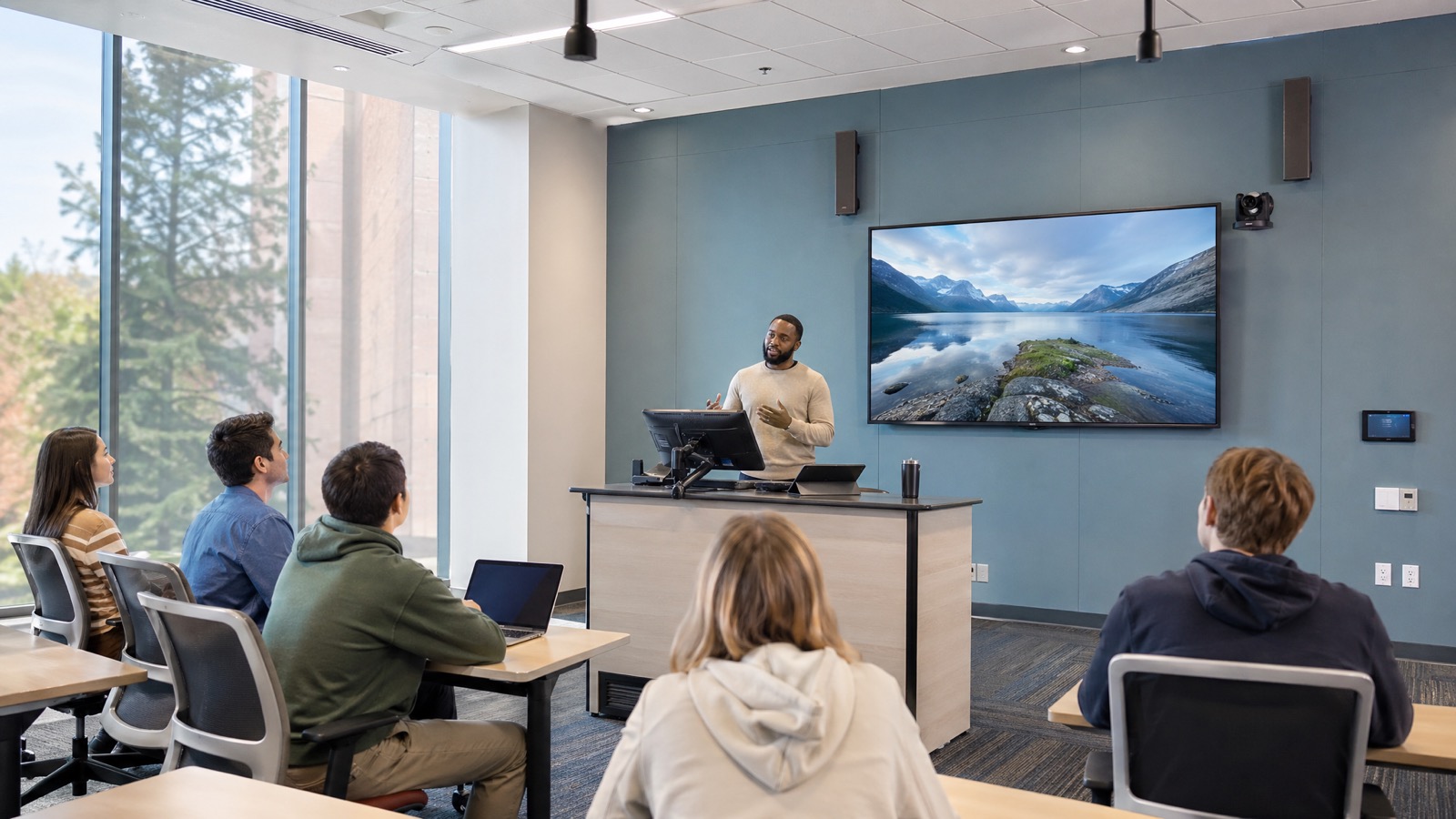
Cover Image Prompt: Photorealistic higher education classroom with an instructor at a clean teaching station, integrated main display, camera, ceiling microphones, touchpanel, and students in the room, bright natural lighting, organized modern technology environment, emphasis on consistency and ease of teaching, no cheesy stock-photo posing, editorial B2B style
- Education AV and classroom technology solutions
- Managed support for AV, UC, IT, and networks
- Design-build-deploy services for campus refresh projects
—
A classroom AV standard is supposed to make life simpler. Too often, it does the opposite.
On paper, an institution says it has a standard. In practice, one room has a different touchpanel layout, another uses a different wireless sharing workflow, a third handles lecture capture differently, and a fourth depends on a faculty laptop setup that only works if the instructor remembers the exact cable path. Faculty walk in expecting a familiar room and end up troubleshooting before class starts. Support teams inherit a patchwork environment that is expensive to maintain and difficult to scale.
That problem is getting harder in 2026, not easier. Education teams are being asked to support more room types, more hybrid teaching expectations, more accessibility requirements, and tighter refresh budgets with lean staff. Recent higher ed technology planning conversations have centered on practical, human-centered technology decisions rather than novelty for its own sake. In classrooms, that means the real question is not, “What hardware should we buy?” It is, “What room experience can we sustain across a large portfolio?”
The institutions making progress are the ones that treat classroom AV standards as an operating model. They standardize the faculty experience, define room types clearly, build supportability into the design, and document where exceptions are allowed. That creates a better environment for teaching, a more predictable support load, and a clearer path for phased refreshes.
What Classroom AV Standards Should Actually Standardize
The phrase classroom AV standards can be misleading because it sounds like a purchasing list. A good standard is bigger than a bill of materials.
It should define four things:
- The teaching experience faculty should expect in a room
- The support experience campus teams should be able to deliver
- The design rules for each room type
- The governance model for exceptions, updates, and lifecycle planning
This distinction matters. Standardization does not mean every room gets identical hardware. A lecture hall, active learning room, science lab, and general classroom should not be forced into the same kit. But they should share predictable behavior where it matters most.
For example, instructors should not have to relearn how to start class, share content, mute microphones, launch a recording, or call for help every time they move buildings. Consistency at the user-experience level is what builds confidence. Consistency at the support level is what reduces ticket noise and troubleshooting time.
AVNation’s 2025 reporting on classroom AV standardization captured this well: campuses with hundreds of spaces cannot afford ten different room behaviors across ten different classroom types. The labor overhead becomes its own operational problem.
Start With Room Types, Not One “Standard Classroom” Fantasy
One of the fastest ways to build a weak standard is to begin with a single room kit and try to stretch it across every instructional use case.
A better starting point is a room-type framework. Most institutions need at least a few defined categories:
General-purpose classrooms
These rooms should optimize for simplicity, predictable source sharing, intelligible speech reinforcement where needed, clear instructor visibility, and fast supportability.
Active learning rooms
These need stronger collaboration support, more flexible display strategy, more student-content sharing options, and carefully planned microphone behavior.
Lecture halls and large classrooms
These spaces usually require stronger camera planning, more robust audio capture, better reinforcement, confidence monitoring, and tighter integration with recording or streaming workflows.
Labs and specialty learning environments
These often need discipline-specific peripherals, but the core teaching workflow should still feel familiar. Exceptions belong here, but they should be documented exceptions rather than accidental drift.
Auditoriums and multipurpose spaces
These may need event support, multiple presentation modes, and more advanced control logic, yet still benefit from aligned interface standards and support practices.
Once room types are defined, the standard can specify what stays common and what scales by space. That gives institutions a way to support different pedagogies without creating a support nightmare.
Standardize the Faculty Experience First
If there is one place to be stubborn, it is the instructor workflow.
Faculty confidence is built through repetition. The core room actions should feel as similar as possible from space to space:
- Starting the room
- Selecting or auto-detecting content sources
- Sharing wired or wireless content
- Using the room camera
- Using classroom microphones
- Launching or joining a UC session
- Starting lecture capture where applicable
- Getting help quickly when something fails
The standard should define how those tasks appear on the touchpanel or interface, what names are used, which actions are automatic, and where instructors go when they need assistance.
This is where many well-funded projects still miss the mark. They focus on hardware consistency but allow interface logic to vary by integrator history, building phase, or local preference. Faculty do not experience the room as a list of model numbers. They experience it as friction or flow.
A consistent teaching workflow also lowers support costs. First-response technicians can guide instructors faster when room behavior is familiar. Training materials become reusable. Quick-start guides stay relevant longer. New faculty onboarding becomes easier.
Audio Is the Foundation, Not the Afterthought
When education teams discuss classroom AV standards, the conversation often jumps to displays, control systems, or cameras. That is understandable, but it is also backward.
Audio usually determines whether the room succeeds.
If remote students cannot hear clearly, HyFlex participation breaks down. If lecture capture records weak or inconsistent speech, the recording loses value. If in-room students cannot follow questions or discussion, learning quality drops. If assistive listening or captioning workflows are weak, accessibility suffers.
That is why microphone strategy deserves room-type-level design attention. The standard should address:
- Instructor microphone type and expected movement
- Student voice pickup needs
- Ceiling height and acoustics
- Echo cancellation behavior for UC sessions
- Reinforcement requirements in larger rooms
- How audio is handled during recording and streaming
The right answer will vary by space. A small classroom may not need the same approach as a lecture hall or active learning room. What should remain standard is the design discipline: audio is treated as essential infrastructure, not a line item to squeeze after displays are selected.
This is especially important in hybrid environments. EDUCAUSE Review’s guidance on hybrid teaching design has emphasized that simply adding a webcam to an existing room is not enough. If everyone cannot be seen and heard clearly, the learning experience is compromised from the start.
Plan BYOD and BYOC Without Making the Room Fragile
Faculty will continue to bring their own devices. They will also continue to move between Zoom, Teams, LMS tools, lecture capture platforms, and local presentation workflows.
That reality means the standard needs a deliberate BYOD and BYOC approach.
The goal is not to support every imaginable workflow. The goal is to support the institution’s most common teaching scenarios cleanly and predictably.
Questions the standard should answer include:
- Which platforms are officially supported in-room?
- What is the default path for wired sharing?
- What is the default path for wireless sharing?
- How does the room camera and microphone handoff work for laptop-based conferencing?
- What troubleshooting boundary is expected for support teams?
- What happens when an instructor deviates from the standard workflow?
Without these decisions, the institution ends up with rooms that are technically flexible but operationally fragile. Flexibility is only helpful when the user experience stays simple.
Build Accessibility and Inclusion Into the Standard
Accessibility should not sit in a separate checklist that appears near the end of the project. It belongs inside the core standard.
That means the standard should consider:
- Captioning and transcript workflows
- Audio intelligibility for recorded and live sessions
- Camera framing that supports remote inclusion
- Content visibility from multiple seating positions
- Lecture capture access after class
- Assistive listening and accommodation support
- Student participation methods for in-room and remote learners
This is not only about compliance. It is about designing rooms that support actual learning conditions. Students may be remote for health, schedule, geography, or accommodation reasons. Instructors may rely on recordings and captions for reinforcement and equity. A classroom standard that ignores these realities is already outdated.
Design for Support From Day One
A classroom can be beautifully designed and still be painful to own.
Supportability should be one of the criteria used to approve the standard. That includes:
- Remote monitoring and alerting
- Consistent device naming
- Standardized labeling and documentation
- Clear escalation paths across AV, UC, IT, and network teams
- Spare equipment planning tied to the standard
- Commissioning checklists that verify the same behaviors room to room
- A visible help path for faculty
This is where cross-discipline thinking matters. Classroom failures often sit between domains. A display issue may actually be a network problem. A conferencing complaint may trace back to microphone pickup, DSP tuning, or laptop handoff behavior. A control issue may reflect firmware drift or bad documentation.
VIcom’s value in these projects is not only product familiarity. It is the ability to connect AV, UC, IT, and network planning so the standard works in the field, not just on a design document.
Govern the Standard So It Can Survive Exceptions
Every campus has exceptions. The problem is not that exceptions exist. The problem is when they arrive informally.
A durable standard needs a lightweight governance model. That should include:
- Room-type definitions and approved design rules
- A standard control and UX philosophy
- Network, power, and infrastructure assumptions
- Approved product families or performance criteria
- Documentation requirements
- Exception approval steps
- Review cadence after each major refresh cycle
Prototype rooms are especially useful here. Before rolling out a large summer deployment, institutions should validate one or two rooms with real faculty and support staff. That helps surface practical issues before they spread across dozens of spaces.
The standard should also define who owns updates. If nobody is responsible for reviewing drift, the standard becomes a one-time project artifact instead of a living operating model.
Tie Standards to Summer Deployment and Lifecycle Planning
A standard only creates real value when it informs refresh decisions.
That means using it to guide:
- Which rooms are refreshed first
- Which exceptions should be retired
- Which long-lead infrastructure dependencies need early action
- Which spare strategies make sense
- Which training materials can be reused
- Which support models need expansion before fall go-live
Summer deployment windows are short. A clear standard reduces design rework, speeds procurement decisions, simplifies commissioning, and makes handoff cleaner.
It also supports phased refresh planning. Institutions rarely have the budget to update every room at once. A good standard lets them prioritize by room criticality, teaching impact, support burden, and lifecycle risk without creating a fragmented portfolio in the process.
The Best Standard Is the One Faculty Trust
Classroom AV standards matter in 2026 because they sit at the intersection of teaching quality, support efficiency, accessibility, and capital planning.
The strongest institutions are not chasing uniformity for its own sake. They are building a room portfolio that faculty can trust, support teams can sustain, and students can access more consistently.
That takes more than choosing a few preferred products. It takes room-type planning, audio-first design, interface consistency, accessibility discipline, monitoring, governance, and a realistic deployment roadmap.
If your institution is trying to move from room-by-room fixes to a scalable classroom standard, VIcom can help with discovery, prototypes, design, deployment, and lifecycle support across AV, UC, IT, and network environments. Connect with VIcom by filling out the form below.