
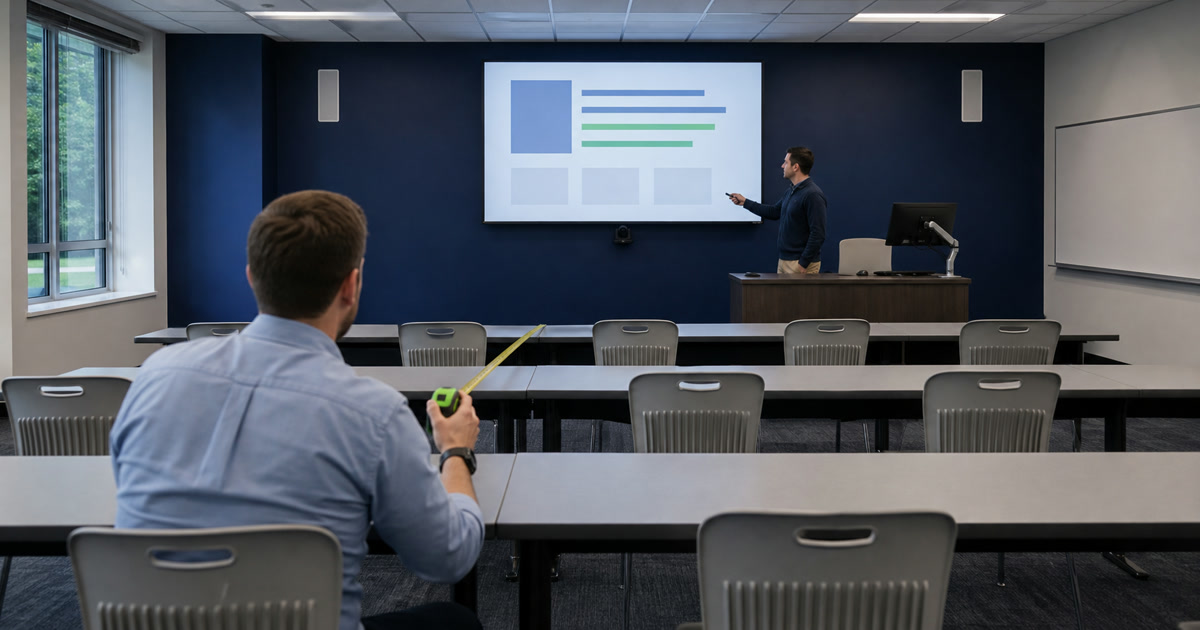
A classroom can hold a bright new 4K display and still fail the student in the back row.
When that failure reaches the budget conversation, it arrives as a feeling: the screen seems small, the text seems hard to read, the back of the room seems disengaged. Stated that way it competes badly against a line item, because a feeling has no threshold to test against.
There is a measurable version of the same question, and it changes the conversation from diagonal inches to learning access.
What to settle before a display is specified:
| Decision | Where it lands |
|---|---|
| Which viewing task the room serves | Basic and analytical decision making use different acuity factors |
| The farthest eye position | Measured in the room, not estimated from a floor plan |
| The smallest element that must be legible | Body text, a spreadsheet cell, an annotation — name it before sizing |
| Active image size, not device size | The active displayed image is the quantity, expressed as height rather than diagonal |
| Who verifies, and from where | The back row, with real teaching content, before signoff |
Key Takeaways
- AVIXA lists the current edition as ANSI/AVIXA V202.01:2026, “Display Image Size for 2D Content” (AVIXA published standards, retrieved 2026-08-24).
- The method turns on the viewing task. AVIXA publishes different constants for each: “The Acuity Factor for Basic Decision Making is 200. The Acuity Factor for Analytical Decision Making is 3438” (AVIXA, retrieved 2026-08-24).
- AVIXA expresses viewing distance against image height, not screen diagonal: “The Viewing Ratio is calculated as the Farthest Viewer/Image Height” (AVIXA, retrieved 2026-08-24).
- Resolution does not enlarge anything. More pixels render finer detail; they do not make that detail readable from farther away.
- Verify from the farthest seat with real teaching content, not from the front of the room with a vendor demonstration.
On this page
- Two Viewing Tasks, Two Different Rooms
- Image Size Is Not Device Size
- Survey the Room Before Choosing Anything
- Resolution Does Not Solve Distance
- Configuration Options and Their Trade-offs
- The Content Has to Cooperate
- Where a Conforming Room Still Falls Short
- Verify From the Back Row
- Leave an Acceptance Record
- A Note on Which Edition Governs
- Take the Sizing Check Into the Room
Two Viewing Tasks, Two Different Rooms
This is the distinction that explains why a room that works for video fails for a spreadsheet.
Basic decision making covers content where the viewer needs the general sense: a photograph, a video, a headline, a large diagram. Analytical decision making covers content where the viewer must resolve fine detail: spreadsheet cells, source code, a map, annotated medical imagery, a dense page from a learning platform.
AVIXA’s published calculators use a different constant for each, and the gap between them is large: “The Acuity Factor for Basic Decision Making is 200. The Acuity Factor for Analytical Decision Making is 3438” (AVIXA, retrieved 2026-08-24).
The practical consequence is that a single room may need to satisfy the harder of two tasks. A lecture hall used for film screenings and for statistics seminars is sized by the statistics seminar.
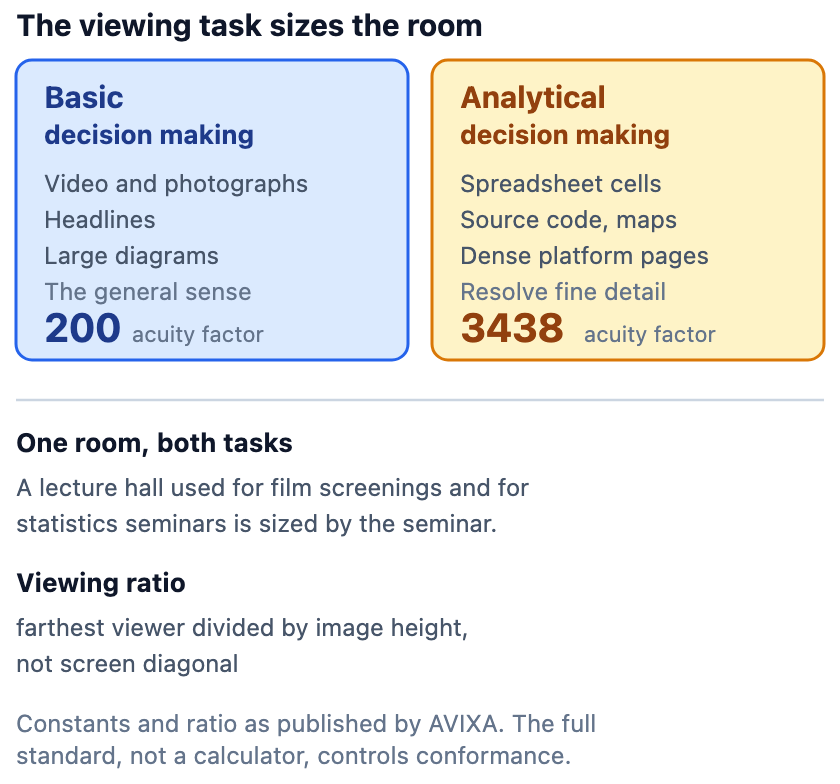
Image Size Is Not Device Size
A specification written in diagonal inches has already lost the thread.
The quantity that matters is the active displayed image, not the bezel-to-bezel dimension of the device, and it is expressed as height rather than diagonal. AVIXA’s own ratio is stated that way: “The Viewing Ratio is calculated as the Farthest Viewer/Image Height” (AVIXA, retrieved 2026-08-24).
Height is the load-bearing dimension because content stacks vertically. A wider aspect ratio adds width without adding the vertical space that a line of text occupies.
Two rooms with the same diagonal can present different image heights, and a display driven at the wrong aspect ratio can letterbox away the height that was specified.
Survey the Room Before Choosing Anything
The survey is the work. The product selection follows from it.
| What to record | Why it decides the size |
|---|---|
| Room length, width, and seating layout | Sets the farthest and closest eye positions |
| Farthest eye position | The controlling distance in the calculation |
| Closest eye position | Too close is also a failure, in comfort and in neck angle |
| Ceiling height and mounting constraints | Limits how much image height is physically available |
| Sightlines and viewing angles | Columns, soffits, heads in front of a seated student, and how far off-axis the worst seat sits |
| Source resolution and scaling | Whether the content can render the smallest element at all, before distance is considered |
| Content types taught in the room | Decides basic against analytical |
| Smallest expected text or element | The detail the calculation must resolve |
| Ambient light and glazing | Decides whether the image survives at any size |
| Instructor position and confidence view | Whether the teacher can see what students see |
The smallest expected element is the entry most easily skipped, and often the one that decides the answer.
Resolution Does Not Solve Distance
This is an expensive misconception in classroom display procurement.
Resolution governs how finely an image can be rendered. It does not govern how large that image appears to an eye at the back of a deep lecture hall. A 4K panel showing a spreadsheet at native scale renders each cell precisely and renders it small.
More pixels are useful when the content is scaled up to fill the available image height. They do nothing for a student in the back row when the application is left at a scale designed for a laptop at arm’s length.
Configuration Options and Their Trade-offs
No configuration wins universally. Room dimensions narrow the field before preference does, so measure the room before comparing products.
- A single large flat panel. Simple to operate and maintain. Constrained by available height and by the largest panel that can be delivered and mounted.
- Dual displays. Useful where two content streams are genuinely taught side by side. Two half-size images are not equivalent to one large one for a student resolving detail.
- Repeated displays down a deep room. Brings the image closer to distant seats. Adds cost, cabling, and the requirement that every repeat be legible and synchronized.
- Projection. Delivers large image height economically. Contends with ambient light, lamp or laser lifecycle, and throw geometry.
- Direct-view LED. Delivers size and brightness without a bezel. Carries structural, power, thermal, and service considerations that a panel does not.
The Content Has to Cooperate
A correctly sized room can still be defeated by what is put on the screen.
- Minimum font sizes agreed for teaching materials, and templates that enforce them
- Application and browser scaling set for the room rather than for a laptop
- Document zoom used deliberately, not left at the default
- Slide density limited so the smallest element stays above the design threshold
- Caption placement that does not collide with the content beneath it
- Color and contrast chosen for a lit room, not a dark one
- A confidence view so the instructor sees the room’s rendering, not the podium’s
Existing guidance on classroom audio as accessibility infrastructure covers the parallel problem on the audio side, where intelligibility rather than loudness is the requirement.
Where a Conforming Room Still Falls Short
Conformance is a floor for a general population. It is not an accommodation.
A room designed to the standard can still be unusable for a student with low vision. Meeting a general design criterion is not the same as meeting the needs of that student.
Individual accommodations sit outside the sizing calculation and are decided by the people who own that process: personal devices mirroring the display, preferential seating, enlarged materials supplied in advance, or accessible digital copies.
State that boundary explicitly in a design document. A room that is described as compliant, without qualification, invites the assumption that no further accommodation is required.
Verify From the Back Row
A demonstration at the front of the room proves nothing about the back of it.
Verify with content actually taught in that room: the real learning-platform page, the real spreadsheet, the real annotated diagram. Sit in the farthest seat. Sit in an aisle seat where a column intrudes. Do it with the lights at their normal teaching level and the blinds in their normal position.
Bring someone who did not design the room. Familiarity with the content substitutes for legibility, and the designer is the worst available judge.
Existing guidance on running a classroom experience drill before faculty return covers the wider rehearsal this verification belongs inside.
Leave an Acceptance Record
On a capital project, the sizing decision should survive the people who made it.
Record the viewing task assumed, the smallest element the design resolves, the measured eye positions, the resulting image height, the ambient light condition tested, the content used to verify, any exception accepted, and who signed it.
That record is what allows a later complaint to be assessed rather than argued.
A Note on Which Edition Governs
One discrepancy is worth knowing about before a conformance claim is written.
AVIXA’s published-standards list shows the current edition as ANSI/AVIXA V202.01:2026. Two of AVIXA’s own supporting pages, the free calculator resource and the standard’s detail page, still reference the earlier ANSI/INFOCOMM V202.01:2016 edition at the time of retrieval.
The full standard sits behind AVIXA’s paywall and was not obtained for this article. Nothing here describes its contents, and no comparison between editions is offered.
The full standard controls conformance, and a calculator is a convenience rather than the standard itself. Anyone writing a conformance claim into a specification should confirm directly with AVIXA which edition applies and obtain that edition.
Take the Sizing Check Into the Room
The two viewing tasks, the room survey, the configuration options, the content-design list and the acceptance record are on a one-page worksheet to complete from the farthest seat.
Download the classroom display sizing worksheet — PDF, one page, no registration.
Sources
- AVIXA, Available Standards
- AVIXA, Learn More About Display Size
- AVIXA, Analytical and Basic Decision Making Calculations
Standards, editions, and supporting resources change. Confirm the current edition with AVIXA before relying on anything above.
Related Reading
- Classroom audio is accessibility infrastructure — intelligibility as the audio counterpart to legibility.
- Before faculty return: run the classroom experience drill — verifying the finished room.
Where VIcom Fits
VIcom can survey the room and record the seating geometry, establish the viewing task with the faculty who teach in it, size the image against the smallest element that has to be read, model the configuration options against ceiling and sightline constraints, and verify from the farthest seat with real teaching content.
Connect with VIcom by filling out the form below.