
Why public meeting accessibility is now a technology workflow
For many local governments, accessibility planning starts with the website. That makes sense: the Department of Justice Title II web and mobile accessibility rule puts web content and mobile apps squarely on the planning agenda for state and local public entities. The compliance timing depends on entity size, with deadlines moving into 2027 and 2028, and public teams should work with counsel for legal interpretation. But the operational lesson is already clear: the public experience does not live on a web page alone.
A resident who wants to participate in a council meeting may touch an agenda page, a livestream, a remote comment form, the audio system in the room, a recorded archive, captions, a transcript, a mobile alert, and digital signage in the building. If one part of that chain fails, access suffers. A meeting archive with poor audio is hard to use. A livestream without a reliable caption workflow excludes residents who depend on captions. A posted video that is not connected to the right agenda item is technically available but practically frustrating. Accessibility is a content production and technology operations issue.
That is why accessible public meeting technology deserves cross-functional attention now, even when a deadline feels far away. Inventory, vendor review, caption workflows, archive cleanup, procurement language, staff training, and AV upgrades all take time. Waiting until the last budget cycle usually turns accessibility into a scramble instead of a manageable improvement plan.
Start with the full resident journey
The strongest planning conversations begin with a simple map: how does a resident find, watch, understand, revisit, and respond to a public meeting? That journey often starts before the meeting, when agendas, packets, notices, and participation instructions are posted. It continues during the meeting, when people rely on room audio, microphones, cameras, displays, assistive listening, livestream players, captions, interpretation, and remote comment tools. It continues after the meeting, when recordings, minutes, transcripts, presentations, and archived agenda materials need to remain discoverable.
This broader view helps teams avoid a common trap: treating accessibility as a single web compliance checklist. A scanner may identify missing alt text or contrast issues, but it will not tell you whether the council chamber microphones capture public comments clearly, whether the streaming platform supports captions in the right format, whether the clerk can correct a transcript, or whether a resident can find a specific agenda item in the archive.
The practical goal is not perfection in one pass. It is to understand where access depends on people, platforms, rooms, and vendors working together. That gives the city or county a realistic plan.
AV design has a direct accessibility impact
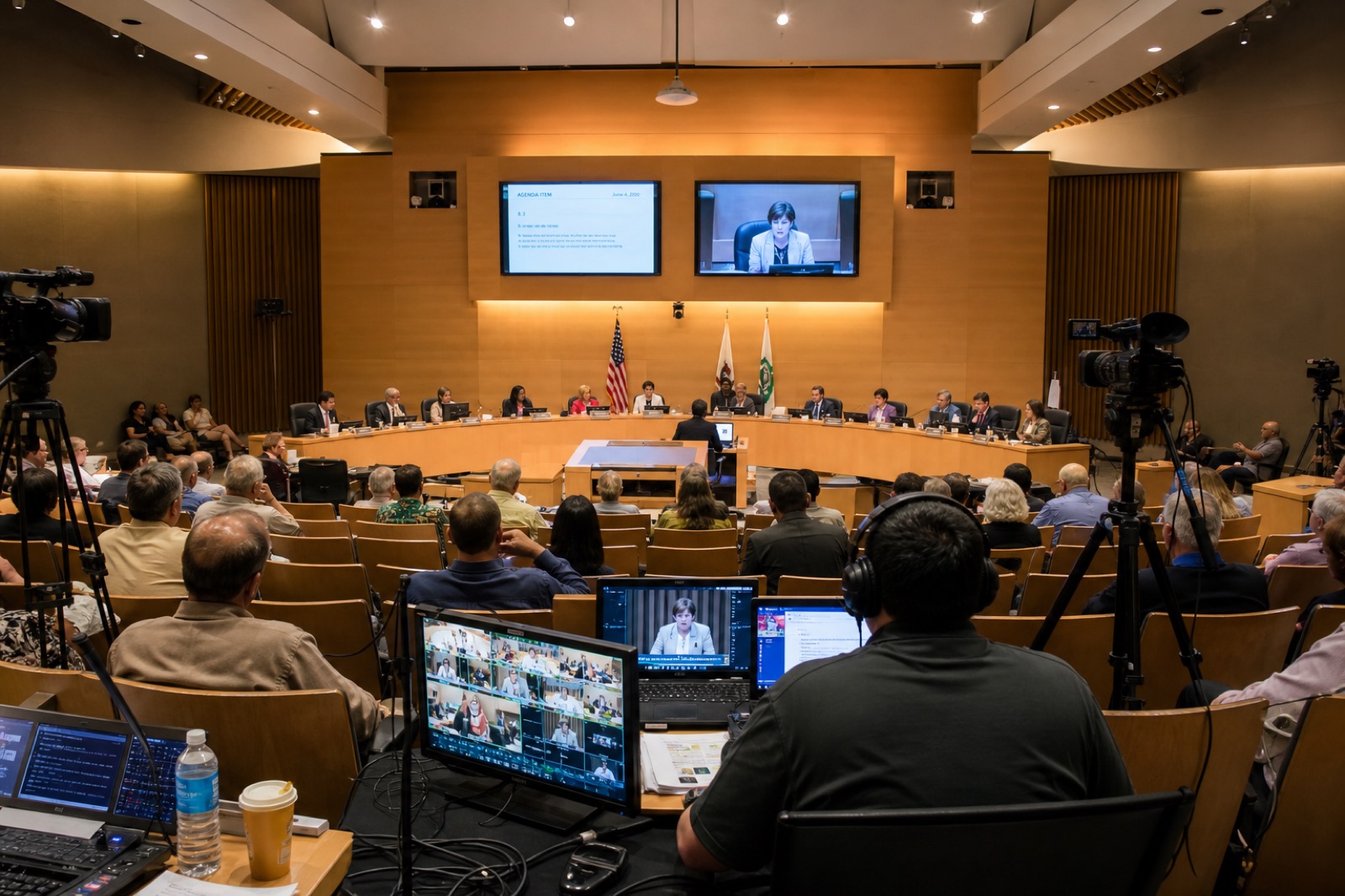
Public meeting rooms are content production spaces. Microphones, speakers, cameras, displays, control systems, and acoustics all shape whether civic information can be understood. If the room has inconsistent microphone coverage, captions and transcripts may be inaccurate because the source audio is poor. If a camera cannot show speakers clearly, remote viewers lose context. If presentation displays are too small or poorly placed, people in the room may not be able to read supporting materials. If the control system is confusing, staff may miss a recording or route the wrong source to the stream.
Accessible AV planning should include clear voice pickup for dais members, staff, presenters, and public comment locations. It should include camera framing that supports remote participation and archive review. It should consider display size, sightlines, contrast, room acoustics, assistive listening, reliable recording, backup workflows, and supportability. Digital signage should be readable, current, and consistent with the information posted online.
These details may sound operational, but they are central to access. A recorded public meeting is not truly useful if the audio is unintelligible. A remote viewer cannot participate effectively if the camera never shows who is speaking or the stream fails during public comment. Accessibility planning therefore belongs in AV design meetings, not only in web governance meetings.
Procurement should define responsibilities before the system is bought
Many accessibility gaps appear after a system is installed because the public entity, vendor, platform provider, and support partner never clarified responsibilities. Before buying or refreshing public meeting systems, procurement teams should ask direct questions. Does the platform document WCAG 2.1 Level AA support for the relevant web, mobile, and player experience? How are captions created, edited, displayed, and archived? Can transcripts be exported? Can archived meetings be searched by date, agenda item, or speaker? Who is responsible for caption quality when source audio is poor? How does the system support keyboard navigation and screen readers? What documentation is available for staff? What happens when a meeting runs long, a stream drops, or a recording needs correction?
The same questions apply to AV hardware and integration. Does the design support assistive listening? Are microphones and cameras selected for the meeting workflow, not just the room size? Can staff operate the system consistently? Are there monitoring, logging, and support paths when a recording fails? Is the system documented well enough that a new clerk, technician, or communications staffer can run the meeting?
Good procurement language does not replace legal review, but it does reduce ambiguity. It turns accessibility from an assumption into a requirement that can be discussed, priced, tested, and supported.
A practical first-step checklist
Local governments do not need to solve every issue in the first meeting. They do need a shared starting point. The ADA coordinator can identify accessibility obligations, public complaints, and resident needs. The clerk can map agenda, minutes, archive, and public comment workflows. Communications can review web publishing, streaming, captions, social clips, and signage. IT can assess platforms, authentication, storage, cybersecurity, mobile access, and vendor risk. Procurement can update requirements and contract language. Facilities and AV partners can evaluate room acoustics, microphones, cameras, displays, assistive listening, control, recording, and support.
From there, build a short inventory: meeting rooms, streaming platforms, archive systems, captioning processes, digital signage locations, web pages, mobile apps, recurring vendors, and known pain points. Then choose the highest-risk workflows to improve first. For many governments, that may be council chamber audio, captioning, archive usability, or staff procedures for posting accessible materials.
The important move is to make accessibility a standing technology planning topic. The deadline moving does not make the work disappear. It simply creates an opportunity to plan with less panic.
How VIcom can help
VIcom helps state and local government teams connect AV, UC, streaming, room design, and lifecycle support decisions to the way residents actually experience public meetings. That means looking beyond a device purchase and asking how the complete system supports accessibility, reliability, transparency, documentation, and day-to-day operation.
If your organization is reviewing council chambers, board rooms, public meeting archives, livestream workflows, or digital signage, VIcom can help you assess the current environment, identify gaps, and plan a supportable path forward.