
Virtual Nursing Is a Workflow, Not a Camera
Virtual nursing programs are moving from pilots toward scaled operations. Health systems are exploring virtual support for admissions, discharge, education, rounding, observation, medication reconciliation, coordination, interpreter workflows, and documentation support. The technology has to respect the clinical reality.
A patient room is not a conference room. A command space is not a generic office. Virtual nursing AV must support trust, privacy, clear communication, escalation, ergonomics, uptime, and training. Cameras and displays matter, but the workflow around them matters just as much.
Patient-Room AV Should Protect Dignity and Clarity
Camera placement should support meaningful conversation without feeling intrusive. Microphones should capture the patient and bedside team clearly while reducing unnecessary hallway noise. Speakers should be intelligible without broadcasting sensitive information. Displays should help the patient understand who is present and why.
Privacy indicators are essential. Patients and staff should know when video or audio is active, how consent is handled, and how the interaction ends. Cleaning, mounting, cable management, infection-control expectations, and maintenance access should be part of device selection.
Command Spaces Need Clinical Focus
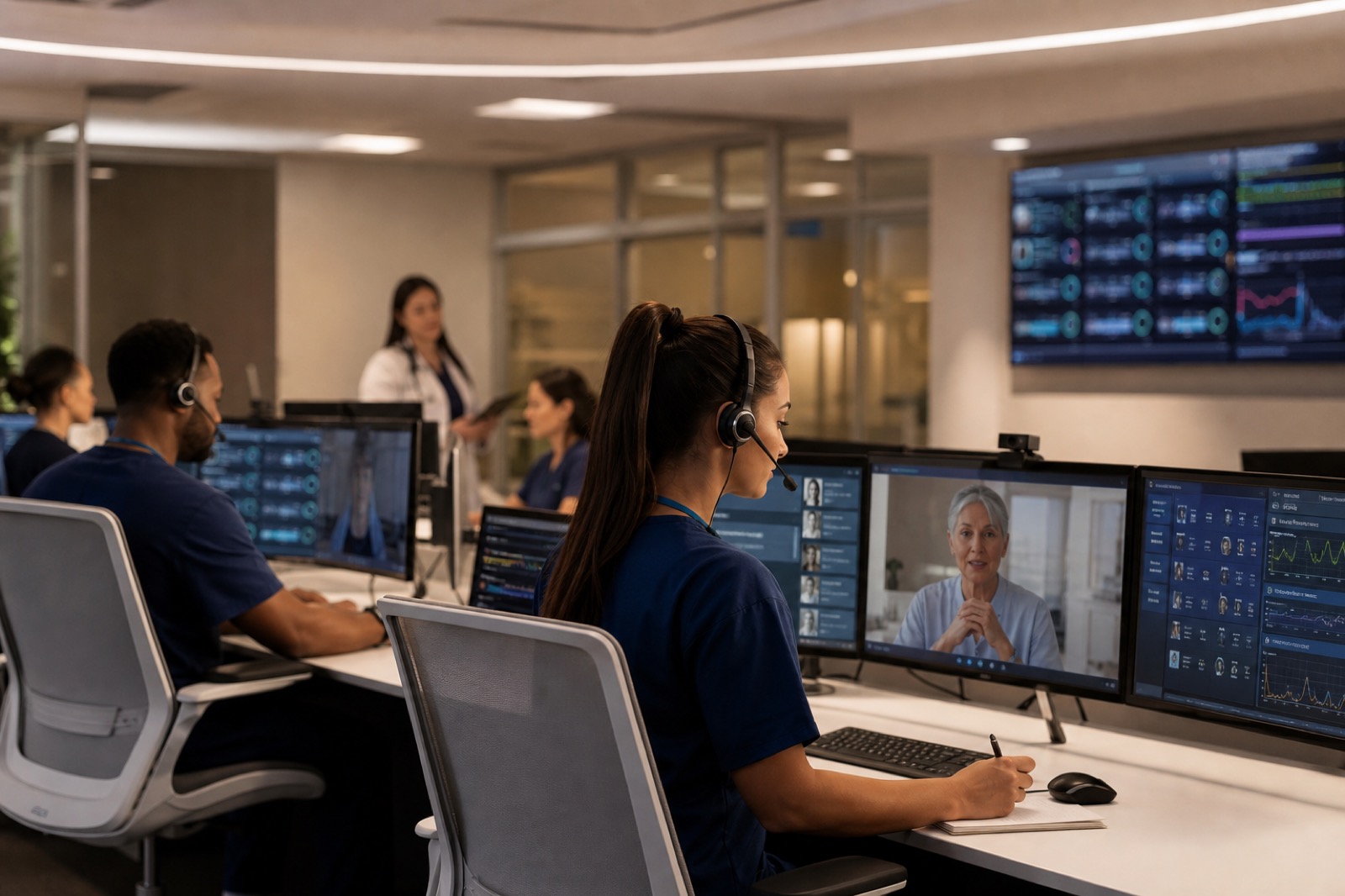
Virtual nurses need work environments designed for sustained focus. A command space may include workstations, dashboards, video walls, collaboration tools, headsets, escalation paths, and secure access to clinical systems. Acoustics matter because multiple sensitive conversations may happen at once.
More screens do not automatically create better situational awareness. The command space should help staff identify what requires attention, coordinate with bedside teams, document appropriately, and escalate quickly. Ergonomics and visual hierarchy are clinical support requirements.
Trust Depends on Uptime and Training
Virtual nursing only works when bedside nurses, virtual nurses, patients, and families trust the workflow. A failed device during a sensitive conversation can damage adoption quickly. Device health, support ownership, spares, training, cleaning procedures, and downtime workflows should be built into the program.
Bedside teams need to know when virtual nurses can help, what tasks remain local, and how escalation works. Virtual teams need reliable tools and room status visibility. Patients need clear communication about who is joining and why.
Scale by Standardizing Room Types
The path from pilot to scale should not reinvent every unit. Define patient-room standards, command-space standards, privacy practices, support metrics, and training. Then adjust by unit needs rather than starting from scratch. Track uptime, support incidents, clinician satisfaction, patient feedback, and adoption by use case.
VIcom helps healthcare organizations connect patient-room AV, command spaces, UC platforms, network readiness, privacy expectations, and lifecycle support. Virtual nursing is a human care model supported by technology. Better AV helps that support feel reliable and trusted.
Design Around Two Experiences at Once
Virtual nursing succeeds only when the patient room and command space work together. In the patient room, the priority is dignity: camera angle, display position, privacy indicators, intelligible audio, and a clear explanation of who is joining. In the command space, the priority is focus: acoustics, workstation ergonomics, dashboards, escalation paths, and tools that let nurses move between rooms without confusion.
Testing should include both sides. Have a virtual nurse join a mock admission, discharge education session, and escalation. Check whether the bedside nurse knows what to do, whether the patient can hear clearly, whether the virtual nurse sees enough context, and whether the handoff is documented. A room may pass a video call test and still fail the clinical workflow.
Scaling Questions for Patient Rooms
- Which units need fixed endpoints, and which can use mobile carts?
- How will patients know when video or audio is active?
- Can the speaker be heard without exposing private conversation into the hallway?
- Who cleans, checks, updates, and troubleshoots the device?
- What happens if the room endpoint fails during discharge education or admission support?
Virtual nursing programs often stall when the pilot relies on a few expert users who know how to work around the technology. Standardizing room types, support steps, and command-space practices makes the model less dependent on heroics.
Do Not Let the Command Space Become an Afterthought
Virtual nursing pilots often focus on patient-room endpoints first. The command space deserves equal design attention. If remote nurses sit in a noisy room, juggle too many displays, or lack a clear escalation path, the patient-room technology will not deliver the intended relief.
Acoustic separation matters when multiple nurses speak with patients or bedside staff. Dashboard design matters because alerts can become noise. Camera and headset choices matter because virtual nurses need to appear professional and hear clearly for long stretches. Ergonomics matter because these are sustained clinical workstations, not occasional video-call desks.
A good command-space design should be tested during a busy simulated shift. Move between rooms, escalate to bedside staff, document the interaction, involve an interpreter or family member if that is part of the model, and recover from a failed endpoint. That test shows whether the program can scale beyond the most enthusiastic pilot team.
The scaling plan should include bedside communication materials as well. Patients and families need a plain explanation of virtual nursing, what the camera does, when it is off, and how to ask for help. Trust improves when the technology is introduced as part of care, not as equipment that suddenly appears in the room.
Include facilities and biomedical engineering early. Mounting, cleaning, power, device access, and room turnover all affect whether the endpoint remains usable after the pilot team leaves. Those operational details determine whether scale feels realistic across multiple units.
If virtual nursing is moving from pilot to scale, test the patient room and command space as one workflow. VIcom can help design the AV, UC, privacy, and support foundation for virtual care; connect with VIcom by filling out the form below.