
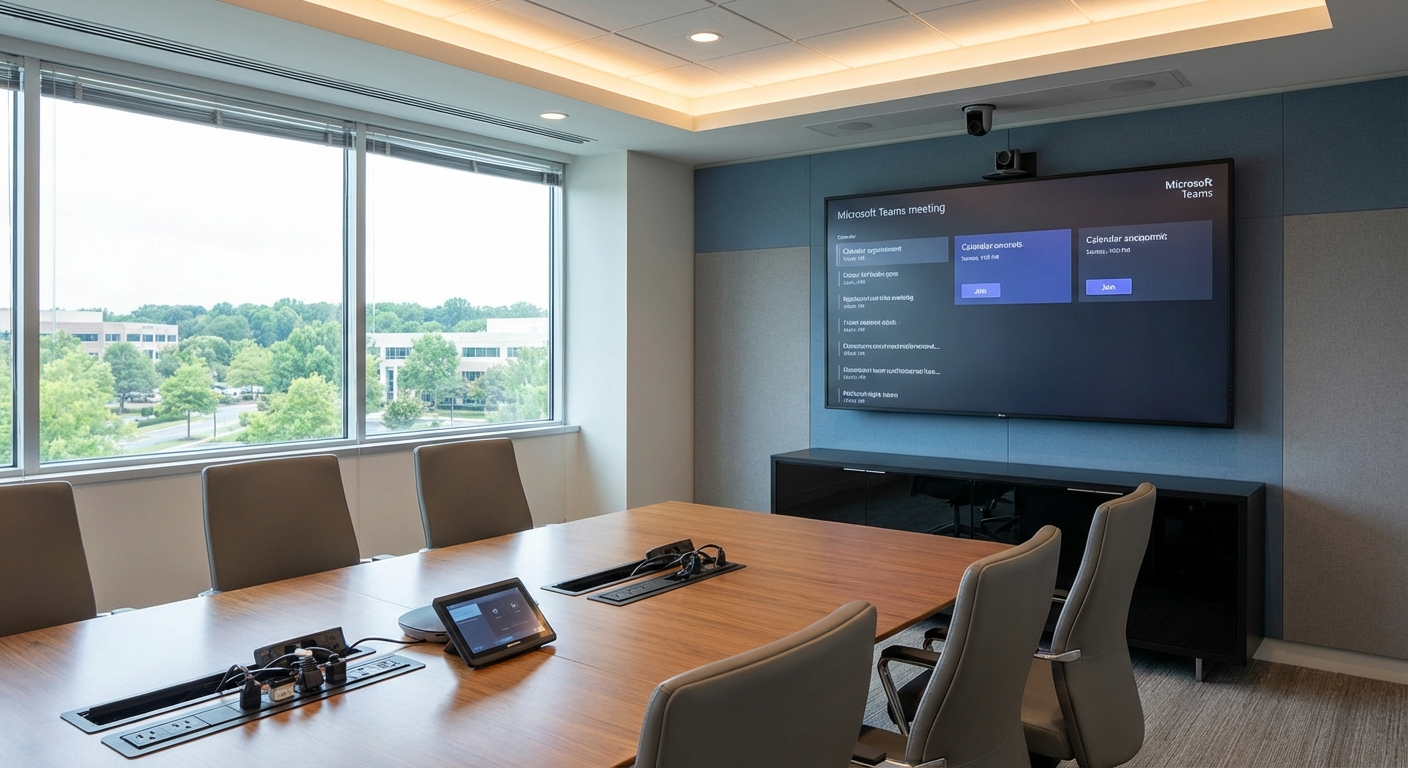
If your employees never know what will happen when they walk into a conference room, you do not have a meeting-room problem. You have a standards problem.
That distinction matters because most enterprise room failures are not true hardware failures. They are consistency failures. Different touch panels. Different camera behavior. Different cable paths. Different lighting scenes. Different ways to launch a meeting. Different recovery steps when something goes wrong.
Across a multi-site Virginia organization, that inconsistency turns into what many IT leaders quietly accept as normal: a room in Richmond that behaves one way, a room in Norfolk that behaves another, and a boardroom in Northern Virginia that only a few people know how to operate correctly. Every one of those differences adds friction before the meeting even starts.
The cost is larger than a few awkward first minutes. CDW, citing Metrigy research, has highlighted that 64% of employees lose at least three hours of productivity per week because of poor collaboration workflows. Even if only part of that drag comes from room inconsistency, the operational waste adds up quickly across a large workforce. At the same time, support teams get flooded with tickets that are often some version of the same complaint: the room does not work, the display is wrong, the audio is missing, or nobody knows which button to press.
That is why standardization has become such an important enterprise AV and workplace technology priority. In 2026, the organizations getting the most value from Microsoft Teams Rooms are not the ones with the flashiest individual spaces. They are the ones that made room behavior predictable across the entire fleet.
Why inconsistent rooms create more tickets than most IT teams realize
When organizations upgrade rooms one by one, they usually optimize for the immediate project in front of them. A medium conference room gets one hardware bundle. An executive room gets something custom. A regional office reuses older displays. A training room adds a control layer that nobody else uses. The result is a room portfolio that grew through exceptions rather than standards.
That approach creates four recurring problems.
1. Users have to relearn the room every time
A meeting should start the same way whether someone is in Richmond, Norfolk, Tysons, or Washington. If the user experience changes from room to room, your employees waste time figuring out the interface instead of starting the conversation. That is the “room roulette” problem. People stop trusting the rooms because every room feels like a new test.
2. Support tickets multiply because troubleshooting is different everywhere
IT cannot support a fleet efficiently when every room has its own quirks. A help-desk tech who can resolve an issue in one office may not know what changed in another. Even worse, support documentation becomes less useful because it depends on knowing the exact room build before anyone can diagnose the issue.
3. Executives and client-facing teams feel the pain fastest
The highest-visibility meetings usually happen in the rooms with the least tolerance for confusion. If a boardroom experience depends on a specific person being available to make it work, that room is not truly production-ready.
4. Capital planning gets harder
Without room standards, every upgrade feels custom. That drives longer design cycles, inconsistent pricing, and more debate about what to buy next. Facilities and IT lose a shared framework for deciding which rooms need investment first.
What good standardization actually looks like
Standardization does not mean every room is identical. A huddle room should not be built like a training space. What it does mean is that every room belongs to a defined tier with a clear technical standard and a consistent user experience.
For most enterprise fleets, the cleanest model is a four-tier room standard.
Tier 1: Huddle and focus rooms
These are the quick-touch spaces where employees need meetings to launch fast and without ceremony. A Tier 1 room standard should focus on simplicity:
– Certified Microsoft Teams Rooms experience
– Reliable all-in-one bar or compact camera/microphone/speaker solution
– Single display or compact dual-display option where justified
– Consistent touch controller behavior
– Clear one-touch join and simple content-sharing path
– Basic cable fallback for laptop use when policy allows
The goal is not to pack in features. The goal is to remove hesitation.
Tier 2: Medium conference rooms
This is where many organizations feel the most operational pain because these rooms host a large share of everyday cross-functional meetings. A Tier 2 standard often includes:
– Dedicated Teams Rooms compute appliance and certified peripherals
– Wider camera coverage and more capable microphone pickup
– Larger display strategy based on room depth and seating count
– Standard table connectivity and content-ingest behavior
– Consistent room-scheduling and occupancy expectations
– Clear, repeatable control logic for meeting start, volume, display, and room state
If you can standardize this tier well, ticket volume usually drops because you have stabilized the most-used rooms in the portfolio.
Tier 3: Executive and boardrooms
This is where many organizations drift into over-customization. The room gets upgraded for prestige, but usability gets worse because the workflow becomes too specialized.
A better Tier 3 approach is to preserve the same core interaction model users already know, while scaling performance for the room’s complexity:
– Higher-end camera and audio coverage
– More advanced switching and presentation support
– Refined acoustic and lighting integration
– Dual-display or multi-display behavior standardized across all executive spaces
– Consistent “start meeting,” “share content,” and “end room” flows
This is where the control layer becomes especially important. Executive rooms can be sophisticated behind the scenes without feeling different to the user.
Tier 4: Training rooms and all-hands spaces
These rooms need flexibility, but they still should not become design snowflakes. A Tier 4 standard should define:
– What happens for live Teams meetings
– What happens for local presentations
– What happens for overflow or hybrid audience participation
– How microphones, displays, and confidence monitors behave
– What the operator view looks like every time
Once that pattern is standardized, larger spaces become easier to run and easier to support.
Why the control layer matters as much as the hardware
A common mistake in Teams Rooms projects is treating certified hardware as the whole standard. It is not.
Certified hardware matters because it gives you a known interoperability baseline. But the daily user experience is often shaped just as much by the control layer around the room. That is where Crestron control programming becomes a major force multiplier.
When the control logic is standardized, users see the same button placement, the same display behavior, the same lighting presets, and the same meeting-start flow even when the physical room behind the scenes is different.
That consistency delivers three operational benefits.
It reduces cognitive load for users
If a user can walk into any room and recognize the interface immediately, adoption improves. The room stops feeling custom and starts feeling dependable.
It simplifies support
When every room follows the same logic, troubleshooting becomes repeatable. The help desk can ask better questions, remote support can move faster, and documentation becomes more useful because it maps to a real standard rather than a one-off installation.
It protects you from brand-by-brand drift
Many enterprises end up with mixed hardware environments over time. That is normal. Displays change. Camera options expand. Some rooms need different audio approaches. A consistent Crestron control layer helps preserve the user experience across those changes, which is exactly what a mature standard should do.
Why 2026 is a good time to standardize Teams Rooms
The business case for standardization is not only about reducing friction. The platform has also improved.
Microsoft’s 2026 Teams Rooms updates strengthen the argument for building around a managed, repeatable room fleet rather than supporting isolated room designs.
Teams Rooms Pro Management improves operational discipline
Microsoft positions Teams Rooms Pro Management as a way to reduce operational complexity through monitoring, intelligence, and automation. For enterprise teams, that matters because room uptime is not only a design issue. It is a lifecycle management issue.
A standardized fleet is easier to monitor because expected room behavior is known in advance. Policy changes can be applied more consistently. Health dashboards become more meaningful. Exception handling becomes faster because you can see which room deviated from the standard.
Microsoft’s update-management guidance also points to nightly maintenance as part of the ongoing operational model for Teams Rooms on Windows. That is important for any enterprise trying to reduce daytime disruption. Search-supported Microsoft documentation also indicates common issues can be auto-remediated during maintenance windows when Pro Management is in place. In practice, that gives IT a better chance to correct software or configuration drift before the next workday begins.
Direct Guest Join expands room interoperability
For many enterprises, the biggest reason standardization stalled was platform fragmentation. Teams may be the company standard, but clients, partners, or acquired business units still operate in Google Meet or other ecosystems.
That gap has narrowed. Microsoft’s 2026 release notes and related documentation highlight expanded Direct Guest Join interoperability, including support that helps Windows-based Teams Rooms participate more cleanly in Google Meet workflows.
For a Virginia enterprise with mixed collaboration environments, that changes the planning equation. You no longer need to assume every exception requires a separate room strategy. You can standardize around Teams Rooms while still designing for broader meeting compatibility.
That does not remove the need for careful validation and policy decisions, but it does make a standardized Teams Rooms fleet more practical for organizations that operate across multiple platforms.
The change-management mistake that ruins otherwise good room standards
Technology standards alone will not solve room chaos.
Many standardization efforts underperform because the organization treats the deployment as a hardware rollout instead of an operating change. The rooms may be better designed, but users were never trained, nobody owns adoption, and support teams were not given a clear escalation model.
There are three pieces that matter here.
User training
Even a well-designed room standard should be introduced intentionally. Short training clips, clear in-room guidance, and site-specific launch support help people trust the new room behavior faster.
An internal AV or workplace technology champion
Standards drift when no one owns them. Every large organization needs a clear internal owner who can approve exceptions, enforce room-tier definitions, and align IT, facilities, and leadership.
Ongoing support and governance
Standardization is not a one-time install. New offices open. Rooms get repurposed. Firmware changes. Users request exceptions. Without managed support and governance, the fleet gradually slides back into inconsistency.
A practical phased rollout for a Virginia office fleet
If your current environment is inconsistent, trying to redesign every room at once usually creates unnecessary delay. A phased model works better.
Step 1: Audit the current room fleet
Document room types, installed hardware, control behavior, ticket history, usage patterns, and common failure modes. This is where many organizations discover that the biggest problems are concentrated in a handful of room categories.
Step 2: Define your tier standards
Set the technical standard for each room tier, including Teams Rooms configuration, peripheral class, display expectations, control logic, cable policy, naming conventions, and support approach.
Step 3: Build the control standard, not just the bill of materials
This is where consistency either becomes real or stays theoretical. Define the touch-panel logic, lighting presets, display wake behavior, source routing, and recovery path that should remain constant across the fleet.
Step 4: Pilot before broad rollout
Choose one office, one business unit, or one room tier and prove the model. Measure meeting-start success, user confidence, and support-ticket volume before expanding.
Step 5: Roll out by business priority
You do not need to touch every room in the same quarter. Prioritize by business impact, support burden, and room utilization. In many enterprises, stabilizing the medium conference fleet first creates the fastest operational return.
Step 6: Track the right metrics after deployment
Do not stop at installation sign-off. Measure ticket reduction, time-to-resolution, recurring incident types, room utilization, and user sentiment. Standardization should show up in operational metrics, not just in design documentation.
Where VIcom fits
For Virginia organizations, the challenge is usually bigger than selecting the right Teams Rooms bundle. The real challenge is creating a standard that works across multiple offices, room types, and stakeholder groups.
VIcom’s approach is built for that reality. It starts with a current-state audit and gap analysis, then moves into tiered room design, control standardization, phased rollout planning, and ongoing managed support. The goal is not vendor lock-in. It is a room portfolio that supports Teams, accommodates broader platform needs, and stays supportable over time.
That matters for organizations operating across Richmond, Norfolk, Northern Virginia, and the D.C. corridor, where offices may have grown through different eras of workplace technology investment. A partner that understands both the technical stack and the realities of multi-site deployment can help you standardize without forcing every room into a simplistic one-size-fits-all mold.
VIcom also brings local accountability. With more than two decades serving Virginia organizations and an ESOP ownership structure, the relationship is designed to extend beyond install day. That is exactly what enterprise room standards need: not only a design, but a support model that keeps the standard intact.
Standardization is really about trust
The best meeting room is not the one with the longest feature list. It is the one your users trust.
When every Teams Room behaves predictably, meetings start faster, employees stop losing time to preventable friction, and IT gains a support model that can scale. That is the real value of standardization.
If your conference rooms still feel like separate projects instead of a managed fleet, now is the right time to fix that.
Connect with VIcom by filling out the form below to evaluate your current room portfolio, define practical Teams Rooms standards, and plan a phased rollout that reduces support burden without sacrificing flexibility.