
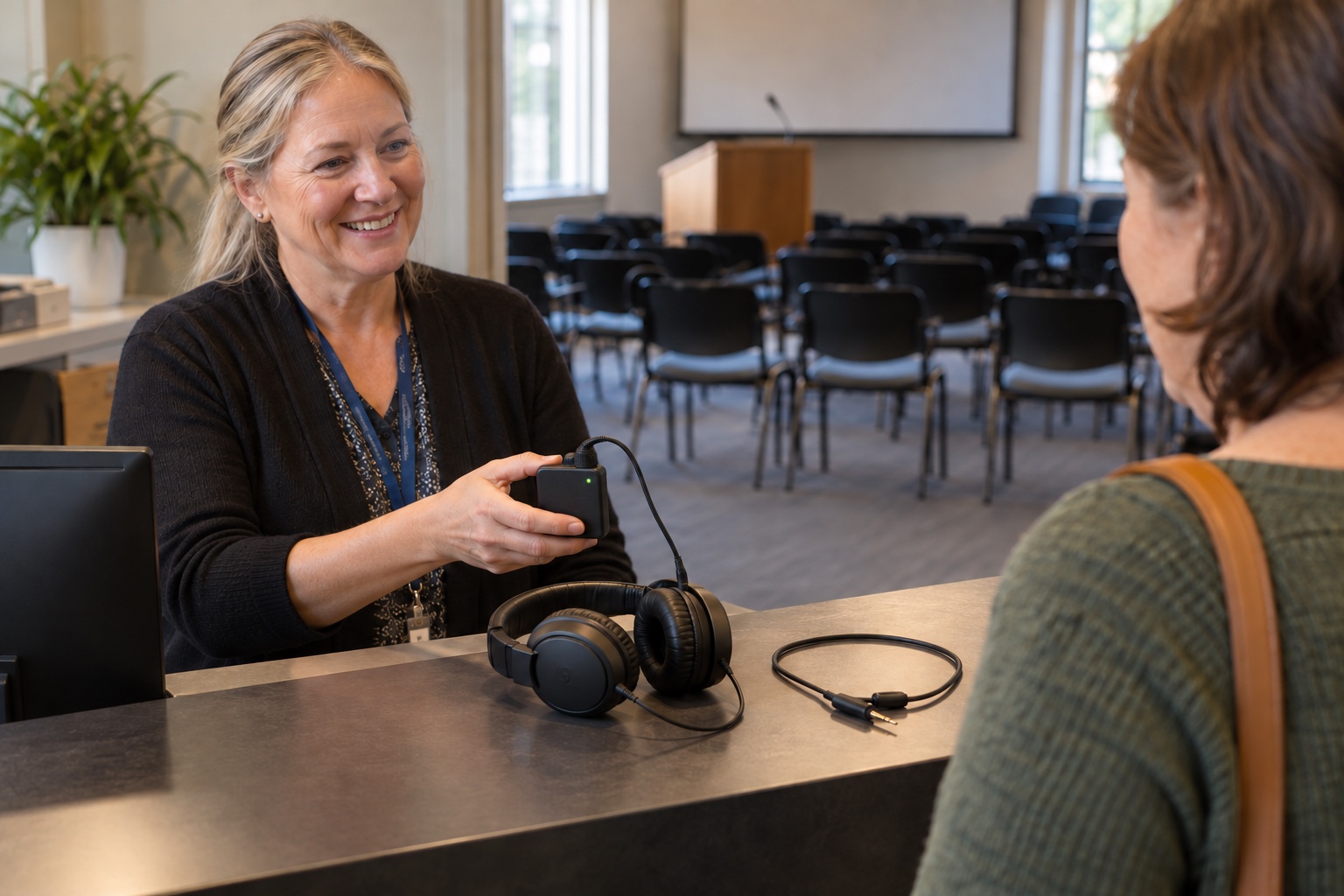
An Auracast assistive listening retrofit should start with the people who will use the room. Some visitors will bring compatible hearing devices. Others will use telecoils, older equipment or a venue-provided receiver. The design needs a workable path for each group.
Auracast broadcast audio can send a venue’s audio to compatible receivers, including supported hearing aids, earbuds and headphones. That creates another way to reach listeners. Whether it improves access in your building depends on receiver compatibility, the audio feed, loaner equipment, clear instructions and staff who can help.
Before replacing an existing hearing loop, FM or infrared system, evaluate who depends on it and how those listeners will be served during and after the change.
Check the exact devices for Auracast support
The Bluetooth SIG’s Auracast FAQ explains that Auracast support requires specific features introduced with Bluetooth 5.2 and the Public Broadcast Profile within LE Audio. A Bluetooth version number alone does not establish that a product can receive an Auracast broadcast.
Ask the supplier to identify supported receiver models, firmware and any phone or assistant used to discover and select broadcasts. Test that combination. A hearing device, its companion app and the phone used to control it may each affect the joining experience.
Do not promise visitors that their existing devices will become compatible through an update. The Bluetooth SIG notes that upgradeability depends on the hardware capabilities and the manufacturer’s plans. Confirm support with the specific device manufacturer.
Keep visitor instructions concrete. “Ask at reception for listening assistance” is useful to someone who does not know their hearing aid’s technical specifications. A sign that says only “Bluetooth available” leaves too much for the visitor to figure out.
Evaluate the system people already use
Document the existing assistive listening installation, its coverage, receiver inventory, maintenance condition and known user issues. Ask accessibility staff and regular users what works well and where people struggle.
The Bluetooth SIG specifically discusses coexistence with current assistive listening technologies. For a venue, retaining a working system during an Auracast introduction can provide continuity while the new experience is tested. The appropriate long-term arrangement depends on the venue, users and applicable requirements.
Include the cost of maintaining both systems where coexistence is part of the plan. Confirm who checks the loop or legacy receivers after the new equipment arrives. An existing system that is left connected but no longer tested is a poor fallback.
Plan for visitors who bring no compatible equipment
| Visitor situation | What the venue should verify |
|---|---|
| Compatible personal hearing device | The person can find the correct broadcast and hear the program in the intended seating area |
| Telecoil-equipped hearing aid | A working loop or suitable receiver and neckloop arrangement remains available as required |
| No compatible personal receiver | Staff can provide an appropriate charged loaner with usable headphones or other supported coupling |
| No smartphone or unfamiliarity with apps | The venue offers a supported listening route and assistance that does not depend on owning a particular phone |
| Difficulty with controls or instructions | Staff can provide accessible guidance and help the person reach a comfortable listening level |
Ask how many loaners are needed, where they will be stored and how they will be issued. Plan charging, spare equipment, approved cleaning and a return process. The receiver should be ready when the visitor arrives, not still charging in a locked office.
Check the actual controls. Can someone identify the volume adjustment? Can staff tell which broadcast is selected? How does the receiver behave after it is powered off and used by the next visitor? Those details belong in procurement and acceptance testing.
Review accessibility requirements with the complete design
A product label does not establish that a venue meets all of its accessibility obligations. Have the accessibility and design owners review the applicable requirements for the assembly area, receiver provision, hearing-aid compatibility, signage and performance.
The U.S. Access Board’s Section 706 technical requirements address assistive listening system performance, receiver jacks and hearing-aid compatibility through neckloops. Apply the relevant scoping and technical requirements to the complete installation, with qualified advice where needed.
Keep that review distinct from a demonstration that one pair of earbuds can receive audio. The venue needs to serve its intended users and provide the required equipment and operating support, including people whose devices follow a different listening path.
Check what is being sent to the listener
A clear wireless connection cannot recover speech that never reaches the program feed. Confirm that the assistive listening mix includes the presenter, audience questions, remote participants and media playback when those are part of the event.
Walk through the actual agenda. A lecturer may use the lectern microphone, then move to a demonstration area. A council member may turn away while speaking. A remote guest may be audible through room speakers but absent from the assistive listening feed. Test those transitions.
Check level, intelligibility and delay with qualified audio support and representative listeners. Listen from different seating locations and with the supported receiver types. Confirm that a person who also hears room sound does not encounter a distracting mismatch.
Where adjacent rooms have broadcasts, make their identities easy to distinguish and test selection from the visitor’s position. Discuss broadcast access and privacy requirements for the room’s use. A public lecture and a restricted training session may need different arrangements.
Pilot the arrival experience
Invite representative users and accessibility staff to test the proposed setup before committing to a broad retrofit. Ask them to approach as a visitor would: find the sign, request help if needed, obtain or connect a receiver, choose a seat and listen to a short session.
Use ordinary front-desk or event staff for the support portion. They should be able to explain the available options, identify the correct broadcast and assist with the loaner equipment using concise instructions. Have a backup process for a device that will not connect.
Record the difficulties without putting the burden on the participant to solve the technology. If several people cannot find the broadcast or reach the volume control, treat that as a design or support issue to address.
Retest after changes. Keep the results with the venue’s broader public-meeting accessibility planning, while recognizing that digital content, physical access and assistive listening have separate requirements.
Make routine checks part of opening the room
Assign someone to check the audio feed, available receivers, charging status and visitor instructions before scheduled use. Include the existing listening system if it remains in service. Staff should know whom to call when any listening path fails.
Give the venue a record of supported equipment and a process for reviewing compatibility as products change. Avoid promising a particular visitor’s device will work until the relevant combination is confirmed.
VIcom can help evaluate venue audio and assistive listening as a complete visitor experience. Bring the current system information, accessibility requirements and the users you need to support. That provides a sound basis for deciding where Auracast fits and what must remain available alongside it.
Connect with VIcom by filling out the form below.