
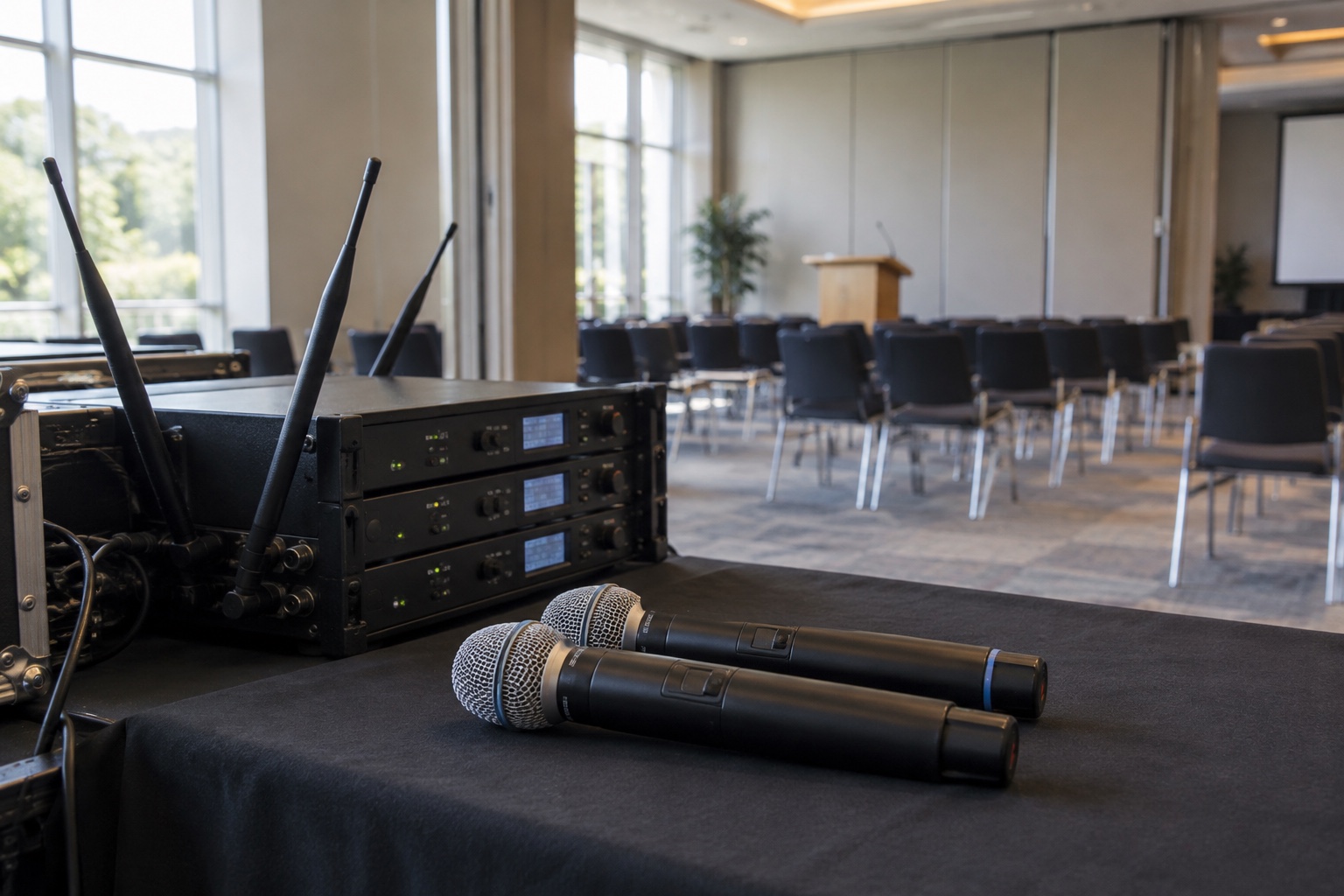
The training room needs two more wireless microphones. There are open inputs on the mixer, and the proposed receivers fit in the rack. Before placing the order, find out what is transmitting in the rooms around it.
Wireless microphone coordination starts with the RF environment, including neighboring rooms, visiting equipment and the combinations that run at the same time. Two systems can work well independently and still create problems when both events begin.
For a campus, government meeting facility or corporate training center, the purchasing question is how many usable channels the complete installation can support under real operating conditions. A product’s maximum channel count cannot answer that by itself.
Count transmitters beyond the room on the purchase order
Build an inventory of wireless equipment within the area that could affect the installation. Include handheld and bodypack microphones, in-ear monitoring systems and other relevant wireless audio equipment. Record exact models, tuning ranges, current frequencies, typical transmit power, antenna arrangements and operating locations.
Ask event staff what gets brought in. A visiting presenter’s microphone, a rental package or a production company’s monitor system can change the RF conditions without appearing on the building’s asset list. Establish a check-in process before those transmitters are switched on.
Also record when rooms operate together. A facility that normally hosts one event at a time may become much more demanding during graduation, orientation or a multi-room conference. Plan for the combinations the venue intends to sell or schedule.
For a divisible space, include every partition configuration. Opening a wall changes how the rooms are used and may change the practical RF separation between systems. Our divisible-room changeover guide covers the related audio-routing and control checks.
Check operating bands before comparing prices
Wireless systems with similar model names can be sold in different frequency ranges. Confirm the exact band designation for both the transmitter and receiver, along with their compatibility. A replacement that looks identical may not operate with the equipment already installed.
Have the proposed frequencies and use checked against current rules for your location, equipment and licensing situation. In the United States, the FCC’s wireless microphone guidance is the starting point. A used microphone being available for sale does not establish that its operating band is appropriate for your venue.
Ask the supplier to explain how the new channels will fit with the existing inventory. If the answer depends on moving older equipment, replacing antennas or changing the operating plan, include that work in the proposal. The lowest equipment price may leave out the changes needed to make the system useful.
Coordinate the frequencies as a group
A frequency scan helps identify activity at a particular place and time. Coordination also considers compatibility among the wireless channels themselves, including potential intermodulation products. The scan and the coordination calculation serve different purposes.
Use a qualified technician and the appropriate manufacturer tools to develop a plan for the installed systems. Shure’s Wireless Workbench documentation on RF zones explains how physical separation can be considered when coordinating equipment. An RF zone should reflect the actual environment, not simply a room name or department on a spreadsheet.
Do not assume that walls provide enough isolation to reuse frequencies. Establish that through the design and measurements. Equally, do not assume every room in a large campus must be treated identically. The coordination plan should document where separation is sufficient and which rooms share constraints.
Plan any spare frequencies as part of that same exercise. A spare chosen at random during an event can interfere with a channel that was previously working.
Measure the environment in useful stages
Begin with a controlled survey of ambient RF conditions, with your own relevant transmitters off as appropriate to the survey method. Then validate the coordinated system with all the channels expected to operate together turned on. Label those records clearly so a future technician knows what was running during each measurement.
Check the receiver and antenna locations, cable condition, distribution equipment and any obstructions. An antenna hidden behind a rack or placed where the audience blocks the signal may cause problems that a frequency change cannot solve.
Avoid treating maximum transmit power as the universal remedy. The right setting depends on the coverage requirement and the coordinated system. Have the technician evaluate the complete RF path and manufacturer guidance before changing power or antenna components.
Include representative audience and presenter positions in the acceptance plan. An empty-room bench test is useful, but the room fills with people and the presenter moves. Test where the microphones will actually travel, including entrances, aisles and demonstration areas that belong to the event workflow.
Require a simultaneous-use test
| Test | What it should establish |
|---|---|
| All planned channels active | The installed combination works together, including adjacent rooms that operate concurrently |
| Presenter walk-through | Speech remains usable throughout the approved coverage area |
| Partition changes | Each required room arrangement has a documented, working configuration |
| Guest equipment process | Event staff know who approves additional transmitters and updates the frequency plan |
| Spare-channel procedure | The technician can move to an approved alternative without disrupting another channel |
| Normal staff operation | Staff can identify, charge, assign and return the correct microphones |
Check RF performance and listen to the audio. Distortion, poor gain settings or a damaged microphone element can sound like “wireless trouble” to a presenter. Record the symptom precisely so the repair goes to the right part of the system.
Include the normal mute and power routines. Muting audio does not necessarily stop a transmitter from occupying its RF channel. Staff should know which control silences the audio and which turns transmission off on their specific devices.
Give event staff a usable operating plan
Label transmitters and receivers so their relationships are clear. Keep the coordinated frequency file, inventory and configuration notes in the venue’s support records. Name the person who approves changes and the contact for after-hours events.
For visiting equipment, request model, band and channel requirements before the event. Decide whether the venue supplies its own microphones or coordinates approved guest equipment. Put that requirement into the event-planning workflow, where organizers will see it before arrival.
Schedule a review when equipment is added, rooms are reconfigured or recurring interference appears. Retain the previous working plan so changes can be traced. Staff should not have to reconstruct the building’s wireless setup from handwritten labels during a public meeting.
VIcom can help assess a proposed microphone expansion as part of your audio system. Bring the current inventory, room schedule and expected simultaneous channel count. That makes it possible to identify what the purchase needs to include, from compatible equipment to coordination and acceptance testing.
Connect with VIcom by filling out the form below.